An app from Excelano
Duckling
Documents to DocLang, offline.
Documents arrive as Word files, slide decks, workbooks, PDFs and scans. What a language model, a search index or a version-controlled repository wants is plain, structured text. Duckling is the step between: drop the files in, choose a format, press Convert, and nothing leaves your machine. For macOS, Windows, and Linux.



Also from source, with the code on GitHub.

What goes in, and what comes out
Word, PowerPoint and Excel, current and legacy. PDF, digital or scanned. HTML, EPUB, RTF, OpenDocument, Apple Pages, Numbers and Keynote, email, Visio, Markdown, CSV, and some forty formats in all, read by docling.rs, the open-source Rust port of IBM’s Docling. Duckling adds no conversion logic of its own; every conversion is docling’s, and the window is the part that is Excelano’s.
Out comes DocLang, the open document markup for language models, bare or as an archive that carries a page image per page and every picture, ready to open in Segler. Markdown, with headings, lists and tables. Docling’s own JSON, which keeps everything the converter found. ODT or DOCX, a plain office document with the pictures inside it. Or LaTeX. DocLang is the default, because a document a model has read is a document a person will want to check, and Segler is where that happens.
See it in action
What you can do
Convert a batch in one go
Drop files or a whole folder on the window, or add them with the buttons. A folder contributes every file under it that docling.rs can read, in name order, and skips the rest. Nothing converts until you press Convert, so one choice of format and destination applies to everything queued.
Read scans without a connection
A scanned PDF or an image is read by layout, table-structure and OCR models that ship inside the application. They are most of a download of about 600 MB, and they are why there is nothing to fetch afterwards and why the app works with the network off, from the first launch.
Put the results where you want them
Beside each source file, so a folder of documents gains a Markdown file next to every one, or all into one folder you choose. Either way the destination is yours to pick and the app remembers nothing between runs.
Never lose a file to a conversion
An existing file is never overwritten. A second report.md becomes report (1).md, and the first is untouched, byte for byte. A converter that writes beside its source is one wrong extension away from replacing your work, and this one cannot.
Watch each row report
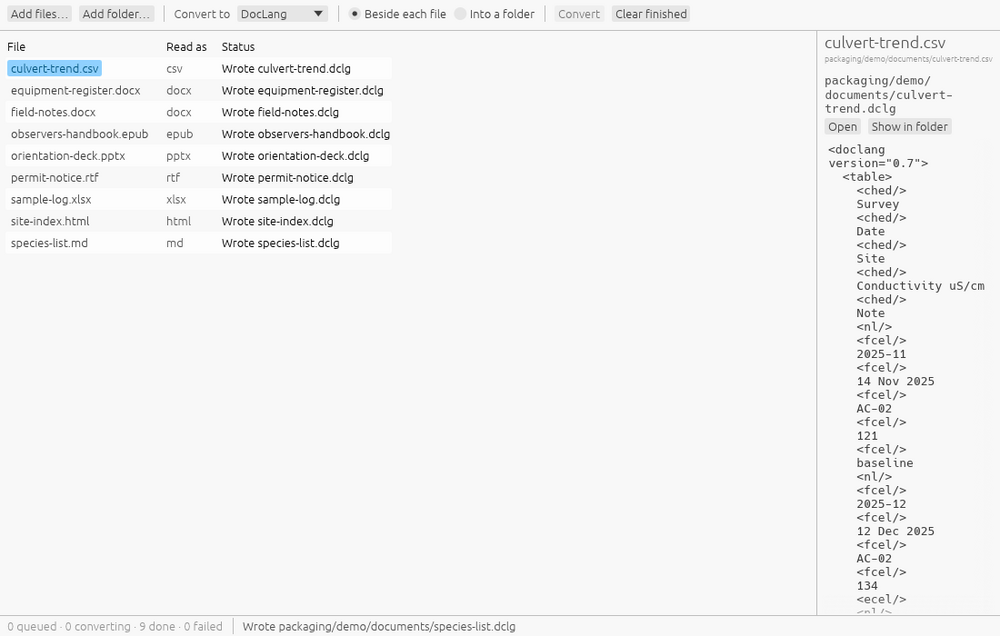
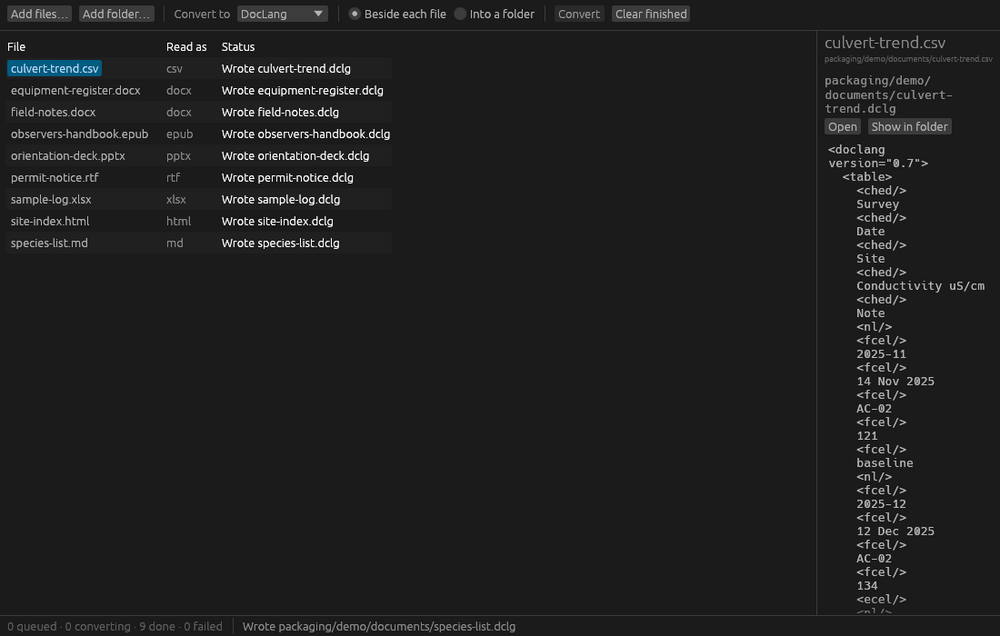
Every file in the queue goes from Queued to a page count to Wrote, with the path it was written to. A PDF reports page by page. A file the converter could not read says so in its row, and the rest of the batch carries on.
Check the result before you leave
Select a row and the preview shows what was written: the Markdown, the JSON, the DocLang. Open it in whatever handles that kind of file, or show it in its folder.
Hand it to Segler
A DocLang archive from Duckling carries a page image per page and the document’s pictures, so Segler can show the page beside the text the converter read from it. Convert here, correct there.
It converts. It does not edit.
Duckling produces the structured text; correcting what a model misread is Segler’s job, and the DocLang output is how the two connect. Each does one thing.
Why the download is the size it is
Duckling is about 600 MB to download and a little over 800 MB installed, and three quarters of that is model weights: the layout model that finds the headings, paragraphs and tables on a page, the table-structure model that reads a table’s cells, and the OCR model that reads a scan. They barely compress, and they are in the package on purpose. The alternative was a small download that fetches the models the first time a scanned page turns up, which means a prompt in the middle of somebody’s batch, a network connection the app otherwise never needs, and a download the app has to verify and store somewhere. Shipping everything makes the app simpler and the privacy statement shorter, and it means the first conversion works on a machine with the network off.
Those models are docling’s, under their own licenses, fetched by the build from pinned addresses and checked by hash. Nothing about them changes after installation, because nothing downloads after installation.
No network. No account. Nothing to send.
Duckling makes no network connection of any kind. There is no server behind it, no account to create, no analytics, no telemetry, no crash reporting, and no third-party service. It reads the documents you give it, writes the results where you tell it to, and keeps nothing between runs: no settings file, no recent-documents list, no remembered folder. The executable has no HTTP client compiled into it, which is a stronger statement than a policy: it can be read off the dependency tree and off the built program’s imports rather than taken on trust. On the stores its privacy declaration is “Data Not Collected.”
The full statement is at excelano.com/legal/#duckling, and because Duckling is open source, every line of it is verifiable in the source at github.com/excelano/duckling.
How to get it
Windows
Duckling is on the Microsoft Store as Duckling. Install it the way you install any other app; updates arrive through the store. It appears under Open With for the document types it reads and becomes the default for none of them: a PDF still opens with whatever opened it before.
macOS
Duckling is on the Mac App Store as Duckling Converter. Install it the way you install any other app; updates arrive through the store. It needs Apple silicon.
Debian and Ubuntu
Duckling is packaged for the Excelano apt repository. Add the repository once, then install; updates arrive with apt upgrade like any other package:
curl -fsSL https://excelano.com/apt/setup.sh | sudo sh
sudo apt install duckling
Once installed, Duckling is offered under Open With for the document types it reads, and claims none of them as its own. The package is built for amd64 and carries the models, which is why it is the size it is.
From source
Duckling is written in Rust and builds with a Rust toolchain and a C compiler, the second for the ONNX Runtime and PDF libraries the converter needs. The README covers fetching the models and building on each platform.
Behind the tool
Duckling is a window around a converter that is not Excelano’s. docling.rs is the Rust port of IBM’s Docling, the open-source document converter behind a good deal of what feeds documents to language models today, and it does the whole of the work here: every format Duckling reads, every format it writes, every page it OCRs. Where a conversion is wrong, the fix belongs upstream, and that is where it goes. What Duckling adds is the part a library cannot: a window to drop files on, a choice made once for a batch, a rule that never overwrites, a preview, and a package with everything inside it.
I built it because the converters that exist for this job are Python scripts that want a virtual environment, or browser tools that want your documents uploaded, and neither is something you can hand to a colleague. A document pipeline starts with getting text out of files, and I wanted that step to be an application a person installs from a store and uses with the network off. If getting documents out of PDFs and into something a system can use is work your team is doing, it is the kind of work I am glad to take on.
For technical users
Duckling is free and licensed under MIT, the license docling.rs carries, so that the project can take any part of it. It is written in Rust; the library that holds the queue, the worker and the output rules forbids unsafe code outright and knows nothing of a window, and the application denies it. It is not pure Rust: the PDF pipeline links ONNX Runtime and loads pdfium, both C, and the repository’s design document records what each costs on every platform and why they are taken. The repository is at github.com/excelano/duckling, with its design document in DESIGN.md and its security policy in SECURITY.md. What converts and how well is docling.rs’s to say, at github.com/docling-project/docling.rs.
Support
For questions, bug reports, or feedback, use the support form or email support@excelano.com. Replies typically arrive within one business day.
Issues and feature requests can also be filed directly in the GitHub repository at github.com/excelano/duckling/issues. A conversion that comes out wrong is usually docling.rs’s to fix; file it here anyway, and it will be carried upstream with the document that showed it.