An app from Excelano
Segler
Edit DocLang documents.
DocLang is the open markup format for documents that language models read and write. Most of it is produced by a model from a PDF or a scan, and a model is sometimes wrong. Segler opens a DocLang document, shows it as a reader would see it, and lets you correct it where you read it. For macOS, Windows, and Linux.



Also from source, with the code on GitHub.

A document the way a model reads it
DocLang is an XML format from the LF AI & Data Foundation, built so that a language model can read and write a document token for token: its structure, its text, the layout of every element on the page, and the order a reader is meant to take them in, all in one file. A bare document is a .dclg; a .dclx is an archive that carries the document together with the page images and pictures it was read from.
Almost all of it is written by a converter, from a PDF, a scan, or an Office file, and a converter makes the mistakes a fast reader makes: a line misread, a heading taken for a paragraph, a table cell in the wrong column, a caption hung on the wrong picture. Those are cheap to spot when the document is in front of you and slow to fix in raw XML. Segler is the editor for that job. It shows the document as a reader would see it, with the element tree beside it and the page image a click away, and every correction is made where you read it.
See it in action
What you can do
Read it as a reader would
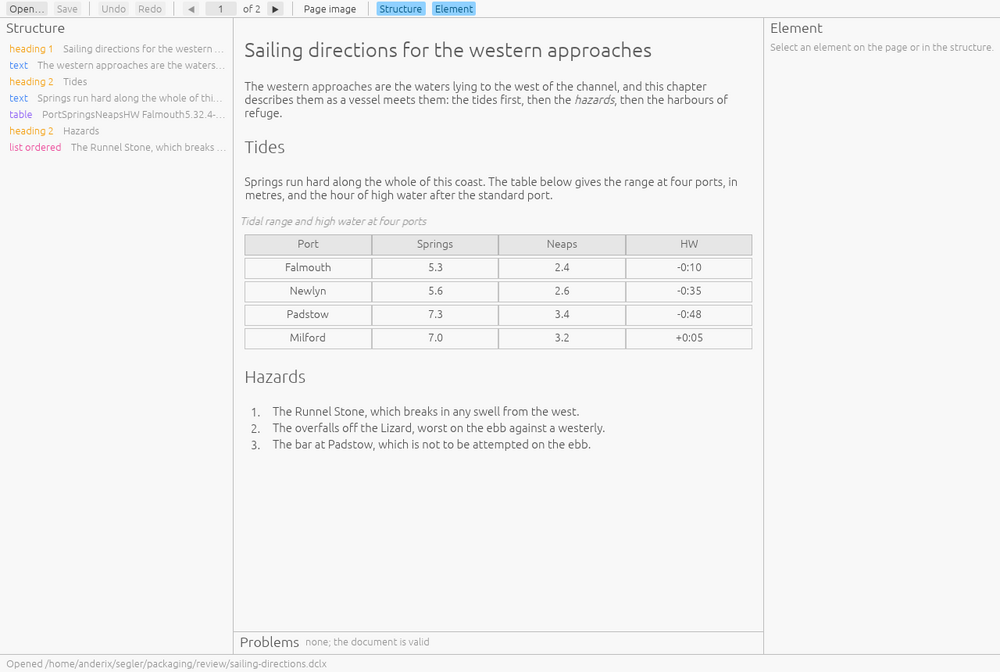
Headings, paragraphs, lists, tables and pictures in reading order, rendered from the document’s own structure. The element tree sits beside it, so the structure the converter found is visible next to the text it found.
Edit where you read
Double-click a paragraph, a list item, or a table cell and retype it where it sits. Change a heading’s level, a list’s or a picture’s class, a cell’s kind from body to header. Correct or clear a bounding box. Remove an element that should not be there.
Formatting survives a correction
Where a line carries bold or italic, its tags are shown in the field as you type, so fixing a word leaves them standing and formatting can be added. A tag left unclosed is refused by name rather than written.
The page beside the document
When an archive carries the page images the converter read, open them in a panel beside the document with the located boxes drawn over them, and check a doubtful line against the page it came from.
Checked against the specification
Segler validates the document against the DocLang schema and rules as you work and lists what it finds. Each finding is a click from the element that carries it.
Undo everything
Every edit can be undone and redone, and the window says what each one did. Nothing reaches the file until you save.
Saved with nothing else changed
Save writes the file you opened with your edits applied. Markup you did not touch is written back byte for byte, comments and whitespace included; an archive’s page images and assets are carried across untouched; a document you did not change is not rewritten at all.
It edits. It does not convert.
Segler works on DocLang that already exists. Producing DocLang from a PDF is a converter’s job, and there are good ones; correcting what the converter wrote is this one’s.
The file is yours, and it stays yours
The difference between an editor and a converter is what happens to the parts of a file you did not touch. A converter reads what it understands and writes what it can; anything it did not model is gone on the way through. Segler is built on a document model that loses nothing: every element, attribute, comment and run of whitespace in the file survives a parse and a save, whether or not the window has a way to show it. That is a property of the library rather than a promise of the application, and it is checked against every example and every test document the DocLang project publishes.
So the file you save is the file you opened with your edits applied. Compare the two and the only difference is what you changed.
No network. No account. Nothing to send.
Segler makes no network connection of any kind. There is no server behind it, no account to create, no analytics, no telemetry, no crash reporting, and no third-party service. It reads the document you open and writes it back where you tell it to, and it keeps nothing between runs: no settings file, no recent-documents list, no remembered folder. On the stores its privacy declaration is “Data Not Collected,” because the developer collects nothing and has nowhere to put it.
The full statement is at excelano.com/legal/#segler, and because Segler is open source, every line of it is verifiable in the source at github.com/excelano/segler.
How to get it
macOS and Windows
The macOS build is on the Mac App Store, listed as Segler. Install it the way you install any other app; updates arrive through the store.
The Windows build is on the Microsoft Store, listed as Segler. Install it the way you install any other app; updates arrive through the store.
Debian and Ubuntu
Segler is packaged for the Excelano apt repository. Add the repository once, then install; updates arrive with apt upgrade like any other package:
curl -fsSL https://excelano.com/apt/setup.sh | sudo sh
sudo apt install segler
Once installed, Segler registers as the handler for .dclg and .dclx files, each with its own icon, so a document opens straight from your file manager. The package is built for amd64.
From source
Segler is written in Rust and builds with a Rust toolchain alone; nothing in its dependency tree compiles C. The README covers building and the per-platform desktop integration.
Something to open with it
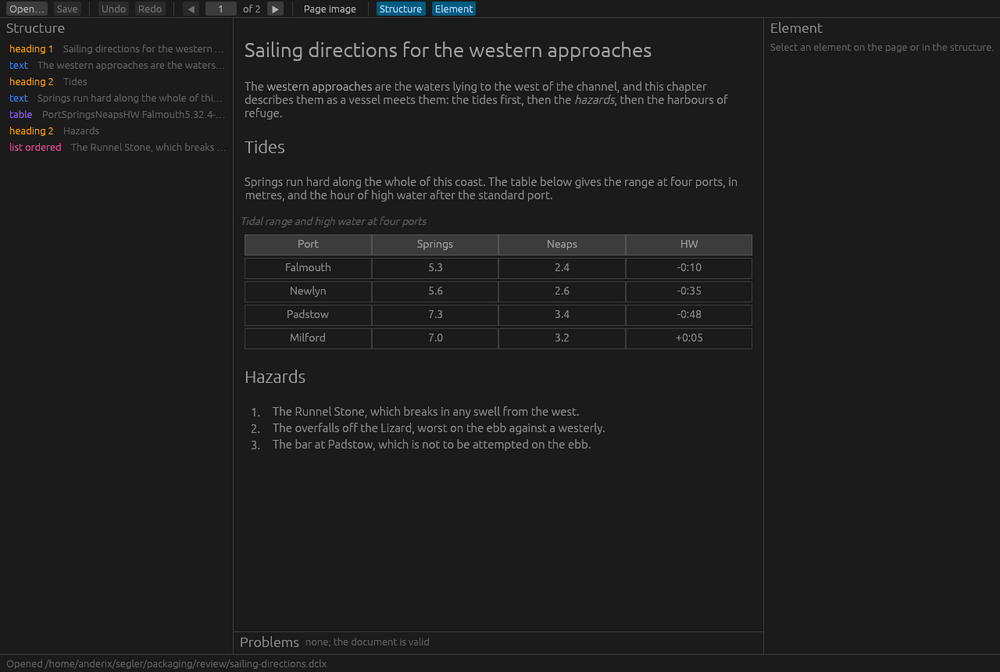
If you have no DocLang file of your own yet, take this one: sailing-directions.dclx. It is a two-page archive written for the purpose, Sailing directions for the western approaches: a heading hierarchy, running text with bold and italic, a table with a header row and a caption, an ordered and an unordered list, a picture with a caption, and the two page images to match. It is the document in the screenshots, and nothing in it is real.
Behind the tool
Segler is a desktop face for an open format that is not Excelano’s. DocLang is specified by the DocLang project under the LF AI & Data Foundation, and its specification is the authority on every question about the format; Segler restates none of it and validates against it. Underneath the application is segler-core, a Rust library holding the lossless document model, the parser and serializer, the validation, and the archive format, with nothing in it that draws a window. It is a separate crate anyone can build on.
The same package carries segler, a command-line tool over that library, for the places a window is not: a script, a build step, a server. It inspects, validates and renders a document, applies the same edits the window makes, and runs the DocLang project’s own examples and tests through the library to prove the round trip. The source and the manual page are in the repository.
I built it because the step where a person reads what the converter wrote and corrects it is where a document pipeline becomes something you can rely on, and for this format there was no desktop tool for that step: a viewer, but nothing that edits and saves the same file. If getting documents out of PDFs and into something a system can use is work your team is doing, it is the kind of work I am glad to take on.
For technical users
Segler is free and licensed under Apache-2.0, the license DocLang itself carries, so that the project can take any part of it. It is written in Rust; the library forbids unsafe code outright and the application allows it in one named module, where macOS delivers a double-clicked document as an Apple Event. The repository is at github.com/excelano/segler, with its design document in DESIGN.md and its security policy in SECURITY.md. The format is specified at github.com/doclang-project/doclang, whose examples and tests are the corpus Segler is checked against.
Support
For questions, bug reports, or feedback, use the support form or email support@excelano.com. Replies typically arrive within one business day.
Issues and feature requests can also be filed directly in the GitHub repository at github.com/excelano/segler/issues.