An app from Excelano

Zirbe
Email that feels like texting.
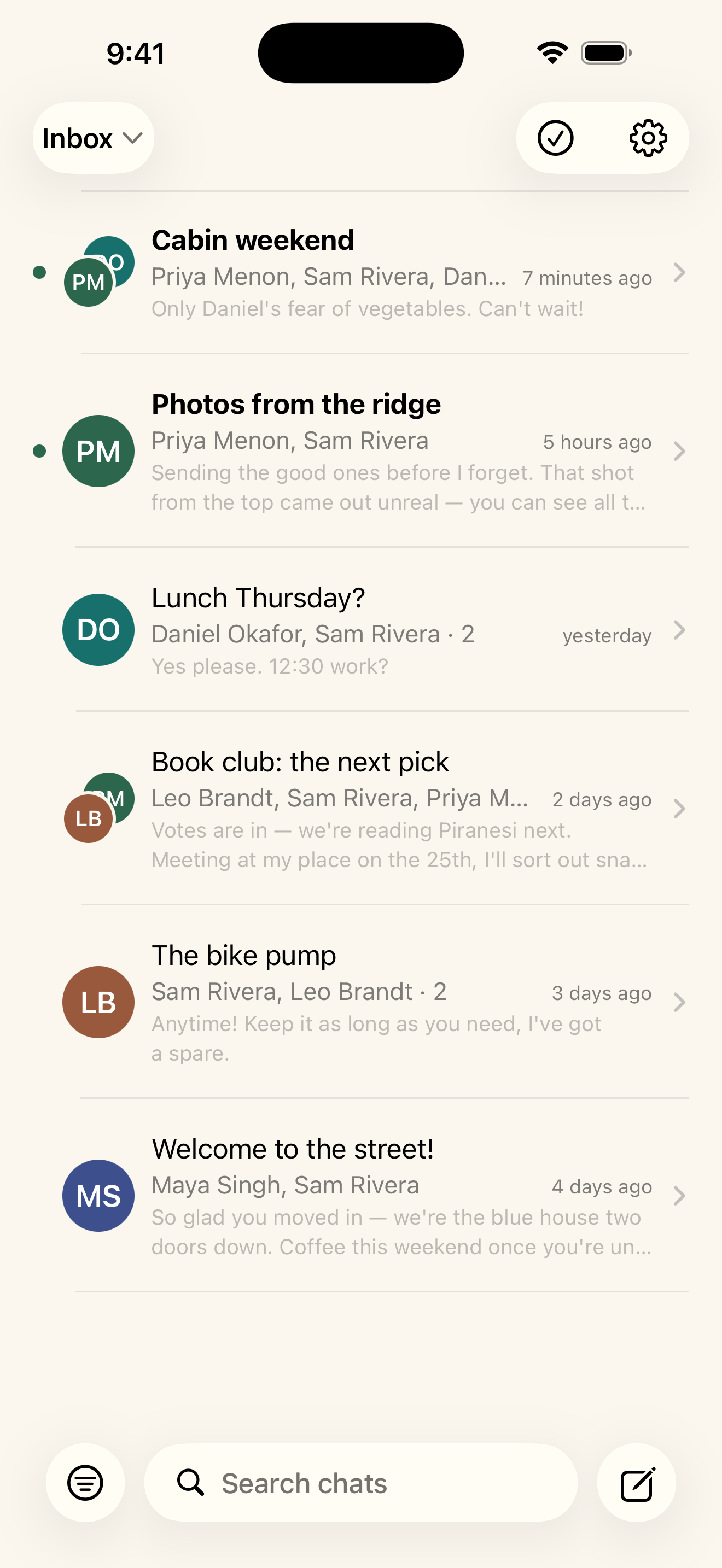
Your inbox as conversations. The subject is the title, every reply a bubble, real email underneath. For iPhone and iPad.


One thread, one conversation
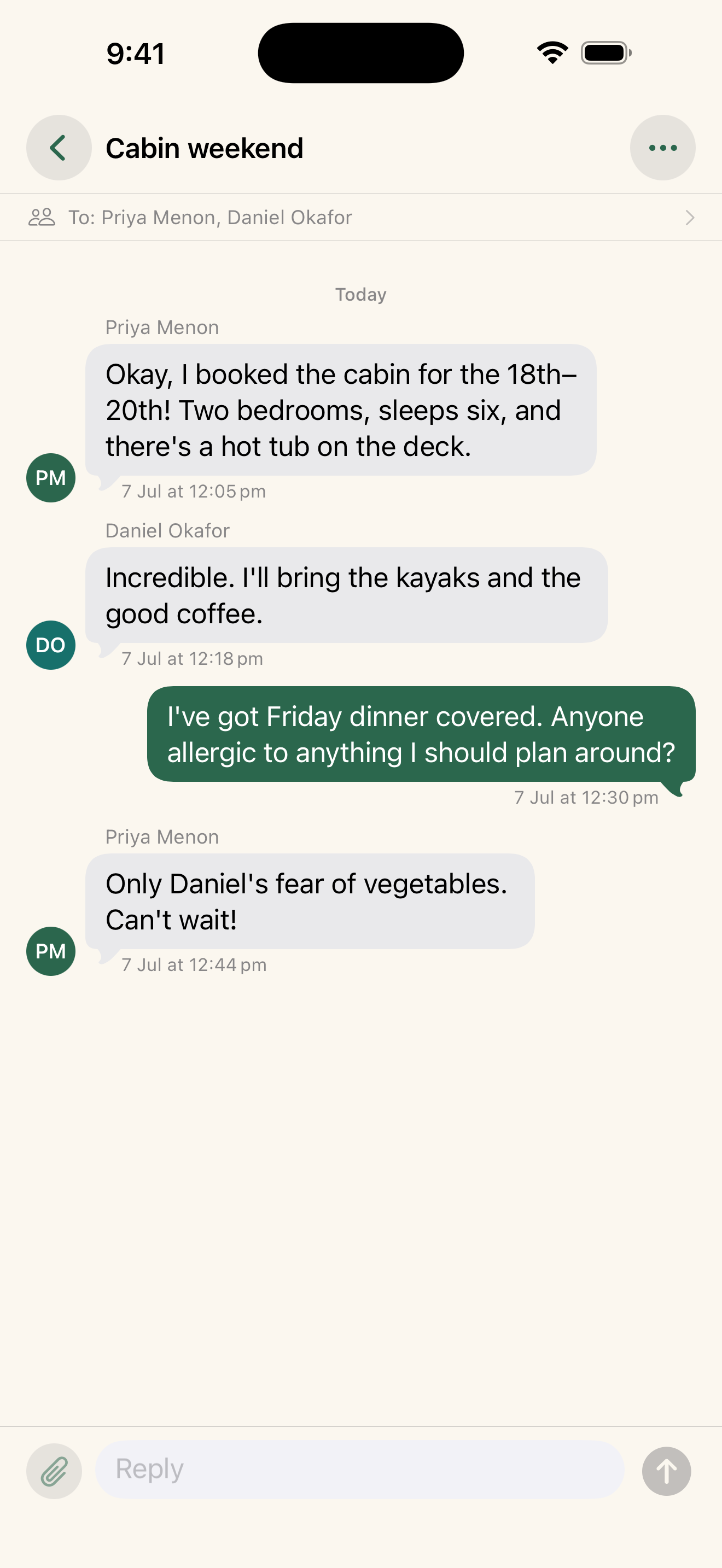
A conversation in Zirbe is an email thread, not a person. The subject is the title, the people on it are the members, and each message is a bubble in time order. The same person writing you about five different things becomes five conversations, which is how email has always worked underneath. Zirbe just makes it look the way you already think.
See it in action
What it does
Conversations, not a list
Every thread is a chat: the subject as its title, messages as bubbles, and the members drawn from the header. Your inbox reads the way you already think about it.
A full mail client underneath
Read, reply, and compose; reach every folder; archive, move, flag, and delete. The texting surface never costs you a real email client.
Attachments both ways
Send photos, files, camera captures, and recorded voice messages. Open what you receive to save it or share it on.
Tapback reactions
React to a message and it rides your own email: another Zirbe user sees the badge, and everyone else sees a readable line. No separate channel, no server in the middle.
Drafts and blind copy
Save and resume a half-written message, and send a Bcc that stays blind — it reaches the envelope so the copy is delivered, but never lands in a stored header.
Search, pin, and block
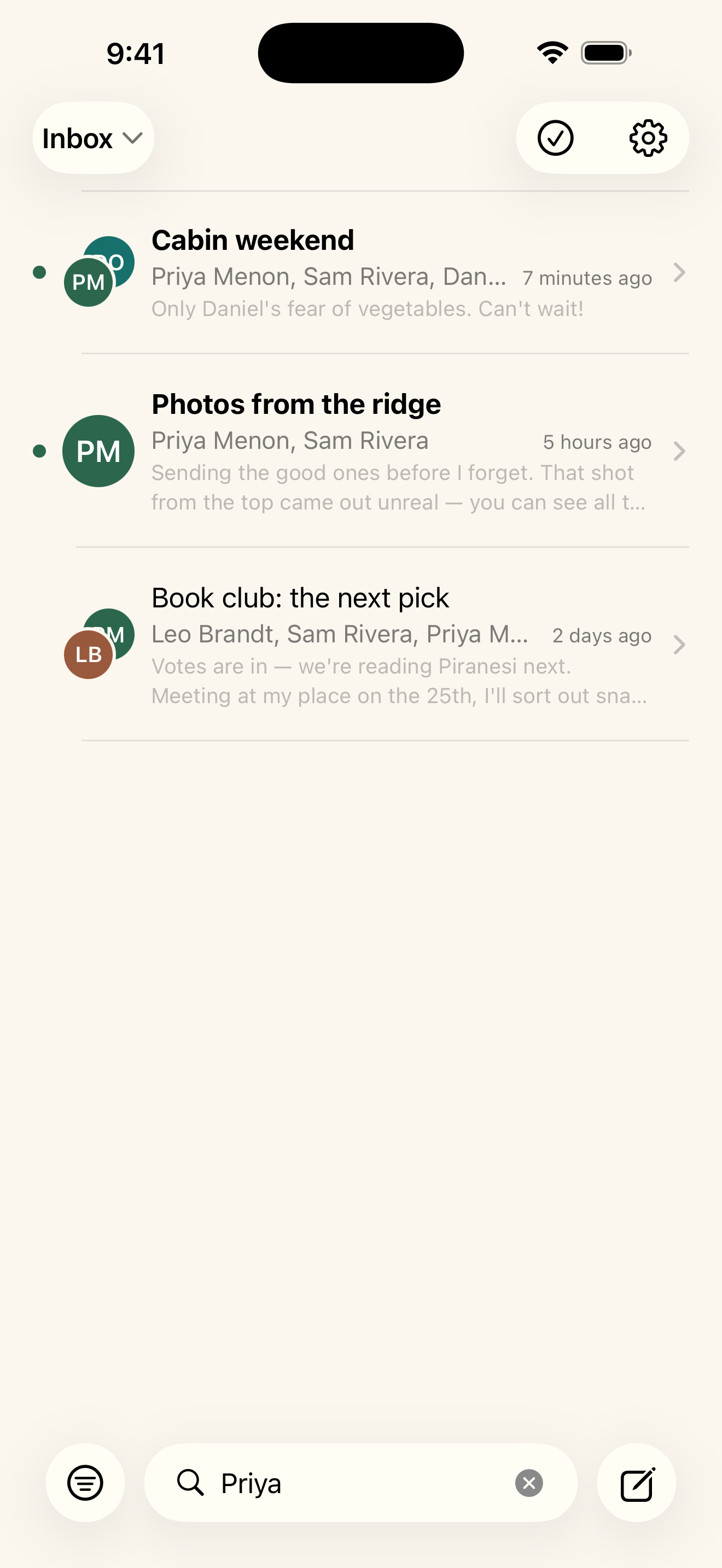
Find within a conversation, pin the threads that matter, and block a sender to sweep their mail to Junk and keep it there.
New-mail notifications
A local banner and a badge when mail arrives. A failed send waits as a tap-to-retry bubble instead of vanishing.
Yours to read on iPad
A split layout puts your conversations on the left and the one you're reading beside them.
No backend. No account with us. Nothing to sell.
Zirbe connects only to your own IMAP and SMTP servers, over an encrypted connection. There is no Zirbe server, no account to create, no analytics, no telemetry, and no third-party SDK. Your mail is cached on your device so the inbox opens instantly and works offline, your password stays in the device Keychain and is never synced off it, and remote images are blocked until you choose to load them. Because Zirbe is open source, none of this is a promise you have to take on faith.
The full statement is at excelano.com/legal/#zirbe, and every line of it is verifiable in the source at github.com/excelano/zirbe.
Bring your own inbox
Zirbe works with any provider that supports standard IMAP and SMTP, which is almost all of them. Sign in with your email address and an app-specific password. Most providers issue these from your account's security settings, and using one keeps your main password off the app. If your provider is a common one, the server settings fill in for you; otherwise you enter them once.
Where to get an app-specific password for the most common providers:
- iCloud Mail — sign in at account.apple.com, then Sign-In and Security → App-Specific Passwords.
- Gmail — at myaccount.google.com/apppasswords, with 2-Step Verification turned on for your account.
- Fastmail — Settings → Privacy & Security → App passwords, scoped to Mail (IMAP/SMTP).
- Outlook.com — at account.microsoft.com security settings, under Advanced security options → App passwords, with two-step verification on.
Read the code
Zirbe is free and MIT-licensed, and the whole app is on GitHub. Every privacy claim on this page is something you can verify: there is no server to trust, only your mail provider and your device. The source is at github.com/excelano/zirbe.
Support
For questions, bug reports, or feedback, email support@excelano.com. Replies typically arrive within one business day.
Issues and feature requests can also be filed directly in the GitHub repository at github.com/excelano/zirbe/issues.
Zirbe is an independent app and is not affiliated with or endorsed by any mail provider. Apple, iCloud, Gmail, Fastmail, and Outlook.com are trademarks of their respective owners.