An app from Excelano

Blick
Your workday at a glance.
Next meeting, unread email, Teams chats, and presence — on iPhone, iPad, and Apple Watch.

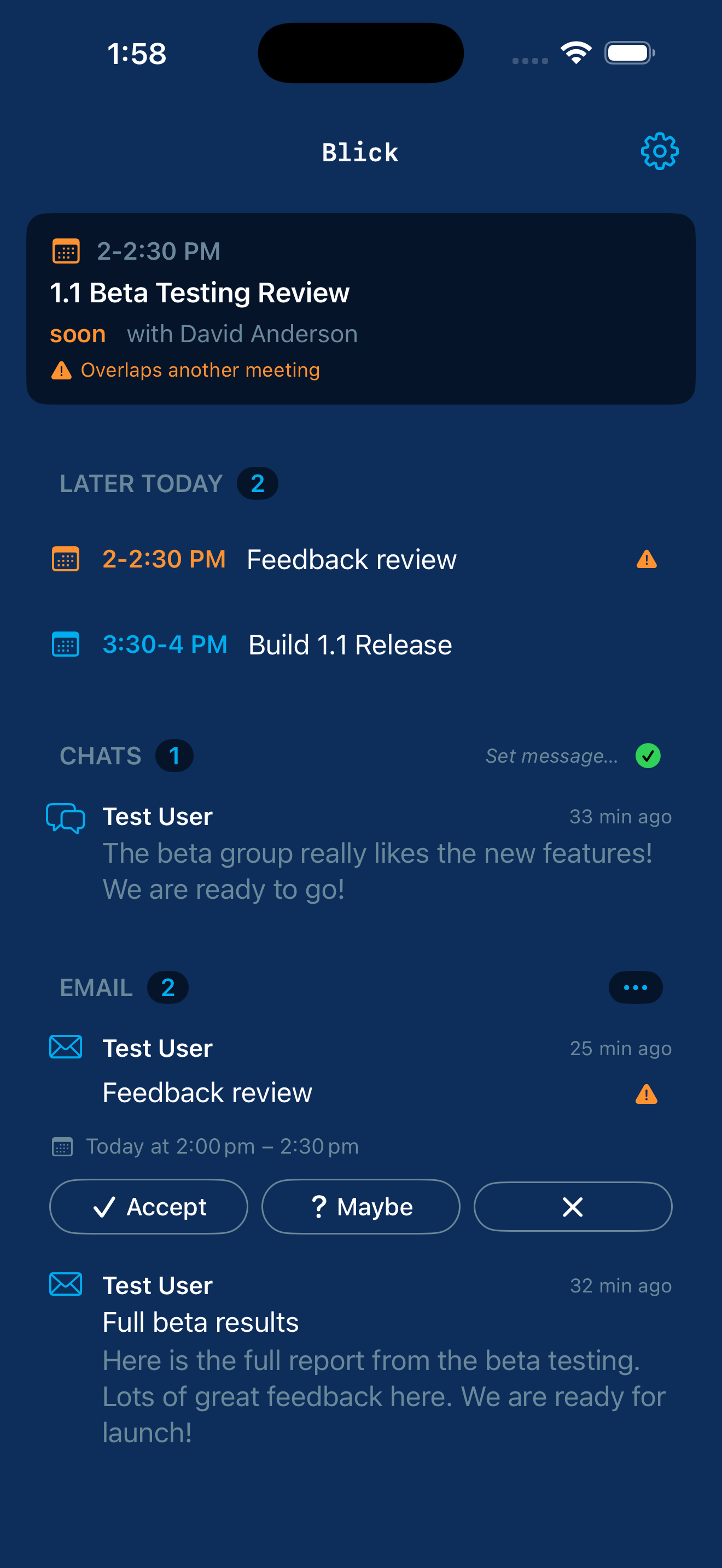
One screen. Everything that's next.
Blick shows what's next in your Microsoft 365 day on a single screen: your next meeting, the rest of today's calendar, your unread Outlook email, your Teams chats with new activity, and your current presence. Refresh when you open the app or pull to refresh. RSVP to invitations from either the calendar card or the email row itself. Set your presence and out-of-office without opening Teams. Triage unread email with bulk actions tuned for Focused inbox, Other inbox, meeting notices, mailing lists, and external senders. Reply to email or Teams chats, forward a message, or compose something new — write an email or start a Teams chat from the same composer — without leaving the app. Search your whole mailbox, or open the full inbox to browse past the unread front when you need something that isn't waiting for you.
Blick is built for people who use Microsoft 365 for work and want a quick status panel without launching Outlook, Teams, and Calendar separately. Sign in with your work or school Microsoft 365 account and Blick is useful immediately. There is no separate account to create and no email list to join.
See it in action
What it does
Calendar
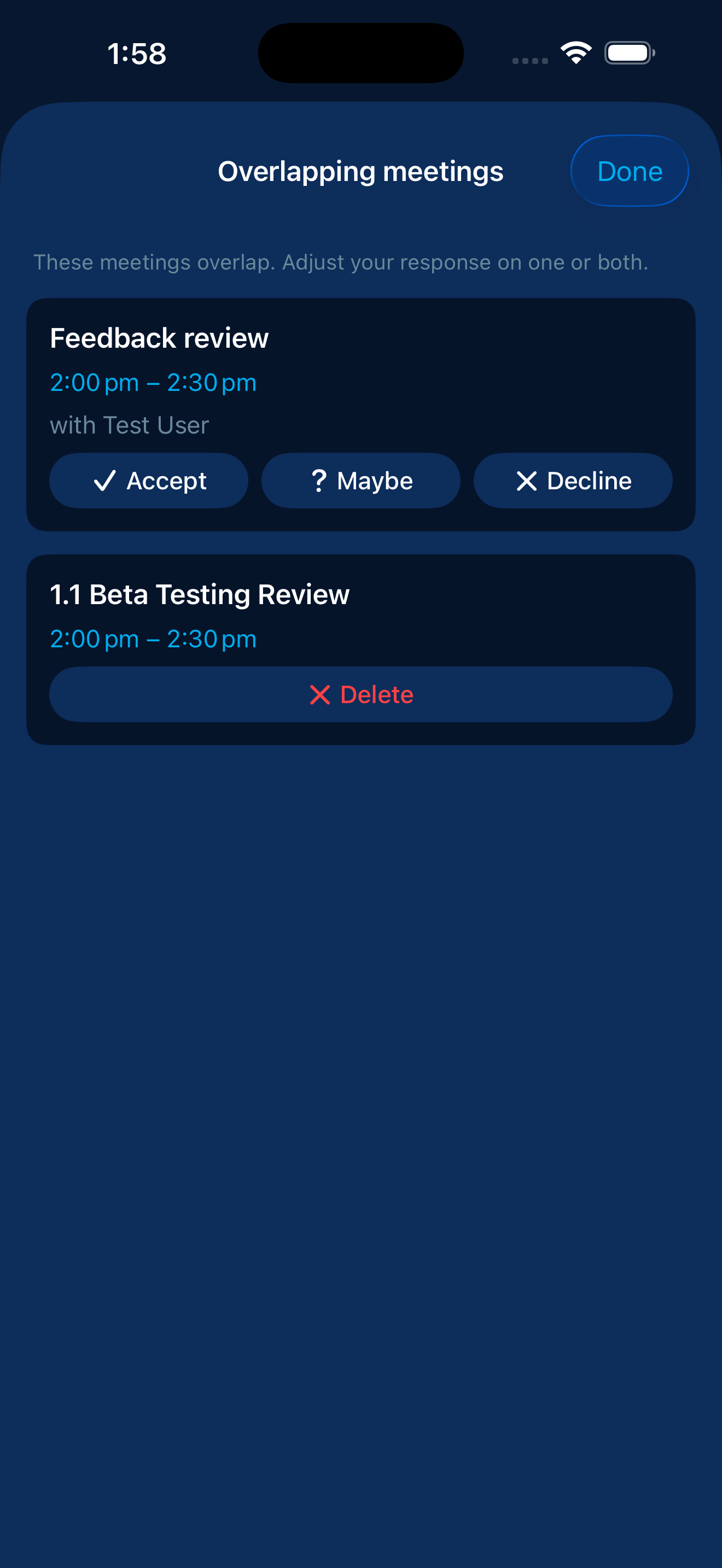
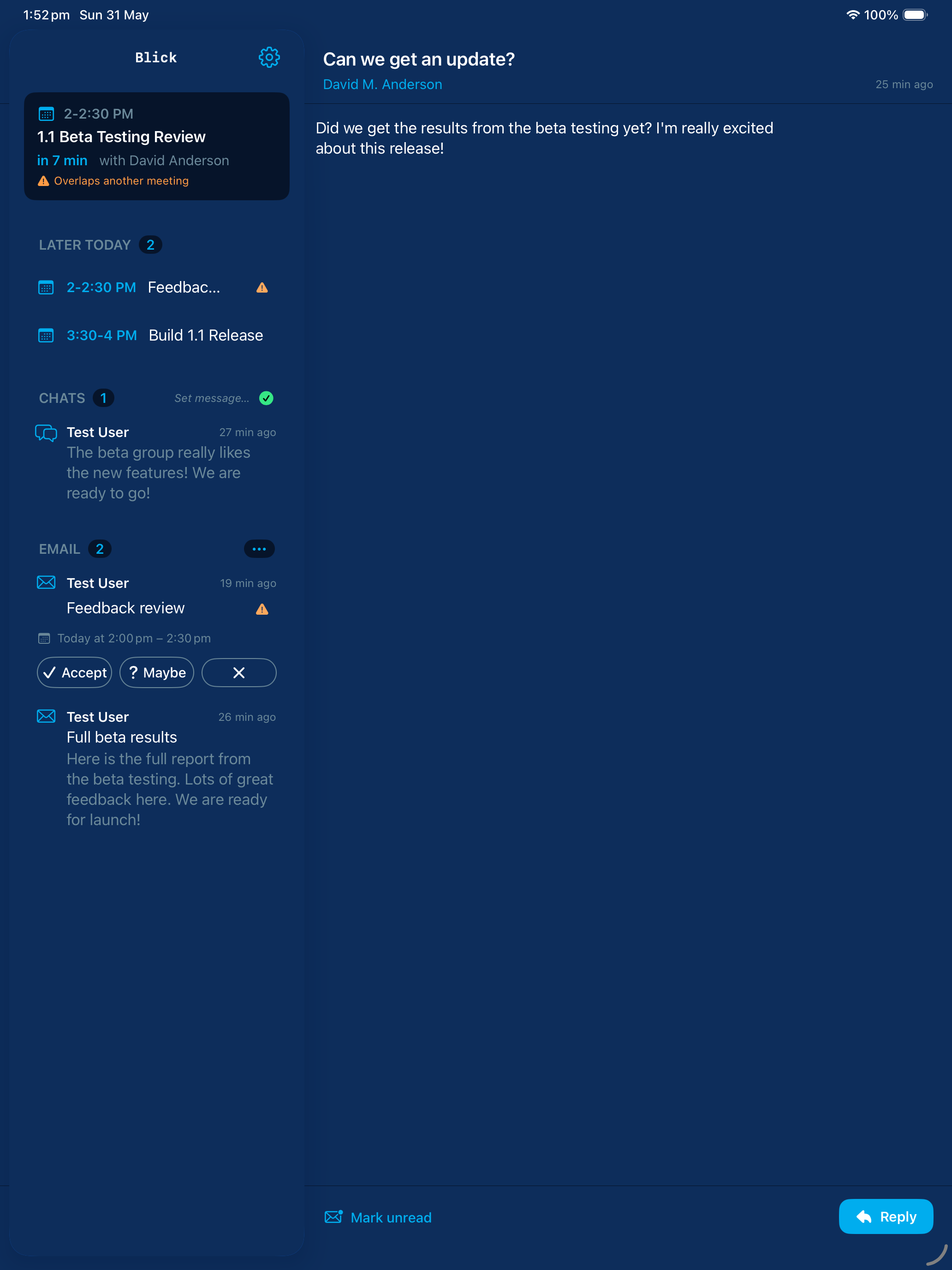
Next meeting at a glance with the rest of today's calendar below it. RSVP from the calendar card or directly from the email row. Conflicts surface where you'll see them.
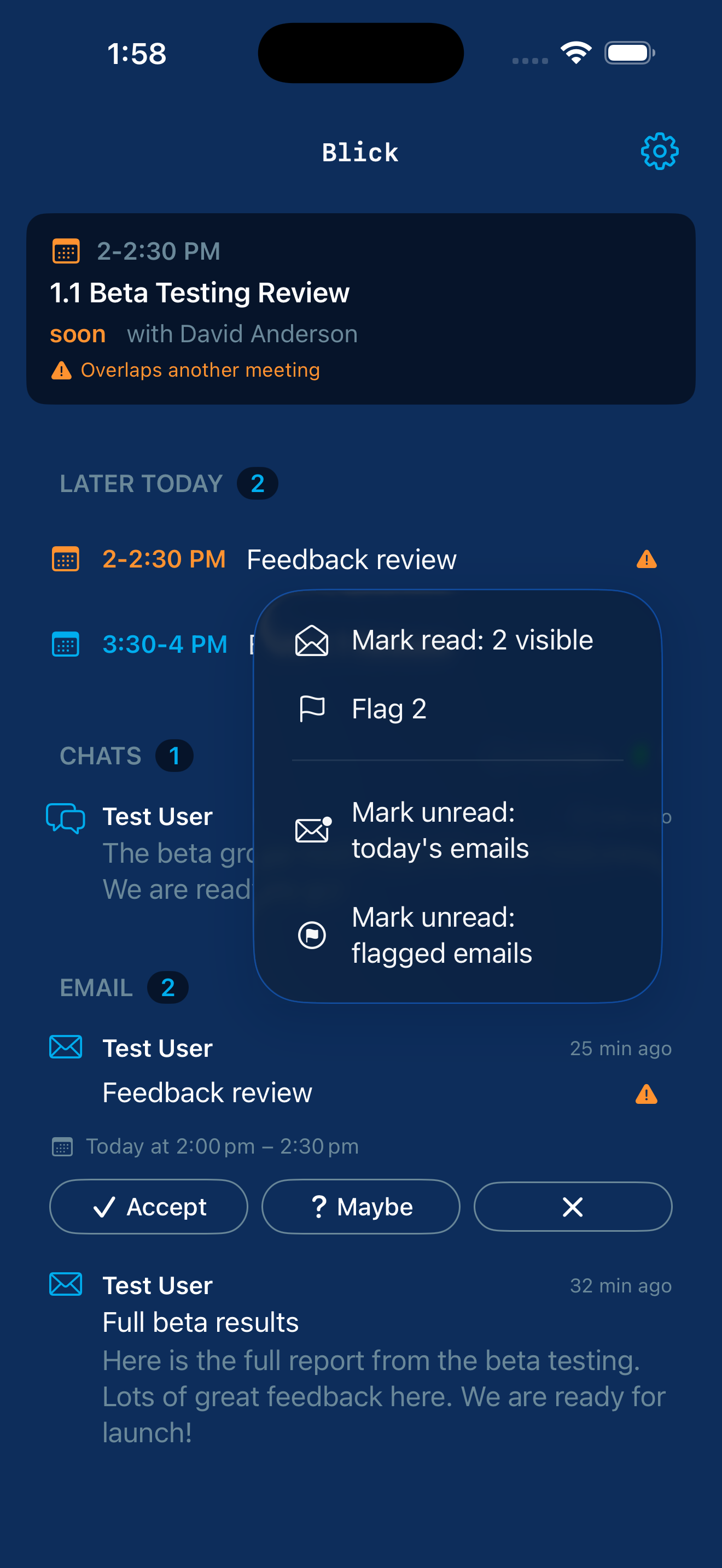
Unread inbox with bulk actions tuned for Focused, Other, meeting notices, mailing lists, and external senders. Reply, mark read, and flag without leaving the screen. Search your whole mailbox, or open the full inbox to browse past the unread front.
Teams chats
Teams chats with new activity, in one list. Reply or mark read inline, start a new chat, or browse recent conversations. No more switching apps to see who is waiting on you.
Compose
Write a new email or start a Teams chat from one composer — the message you're typing carries over if you switch channels. Add recipients from Contacts or by type-ahead, and forward any email with a note of your own.
Presence
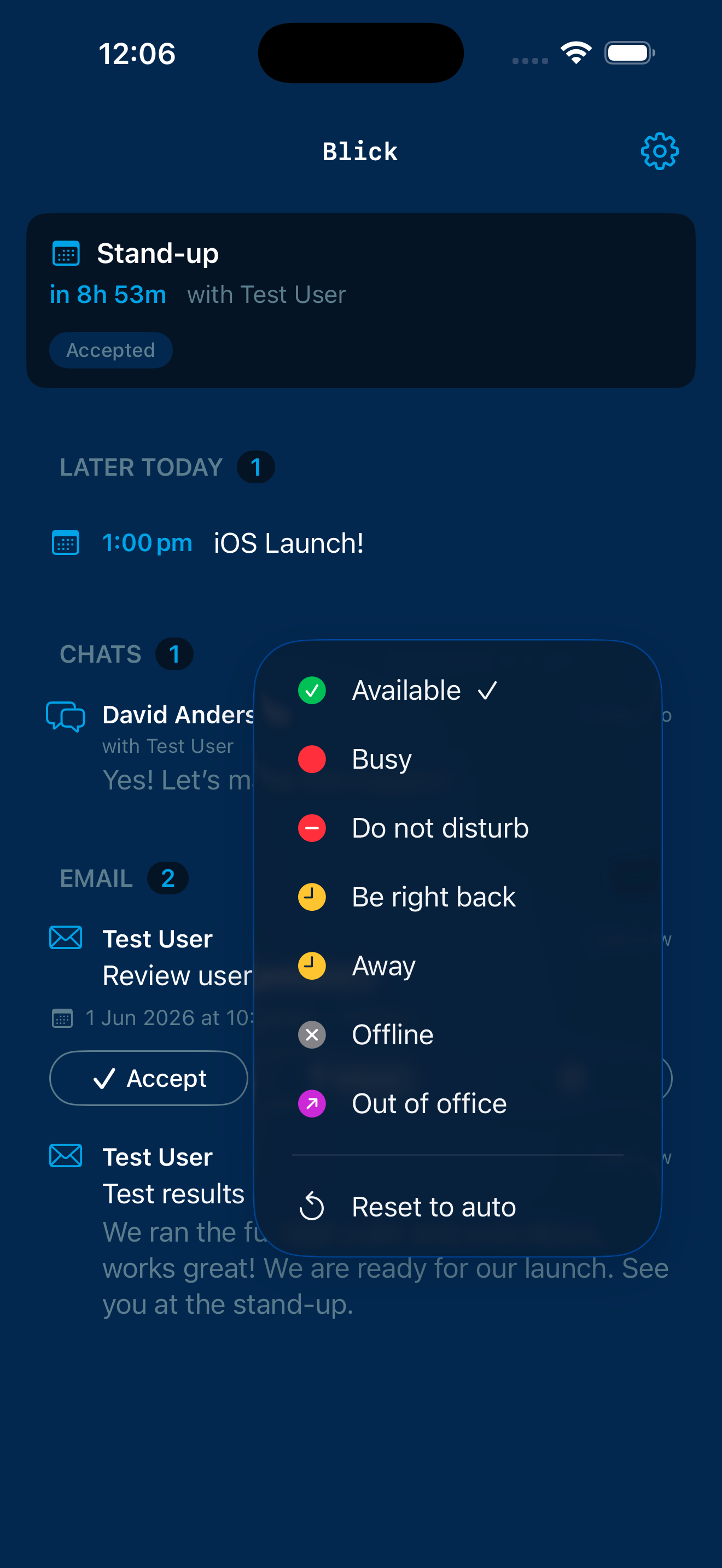
Set your presence to Available, Busy, or Do Not Disturb. Toggle your out-of-office and set a custom status message without opening Teams.
Home-screen widget
Your next meeting, unread email count, and pending chat count, visible at a glance from your home screen — now with one-tap presence buttons.
iPad
A native split-view layout. Your day sits on the left, and the email, chat, or meeting you select opens in a reading pane beside it.
Apple Watch
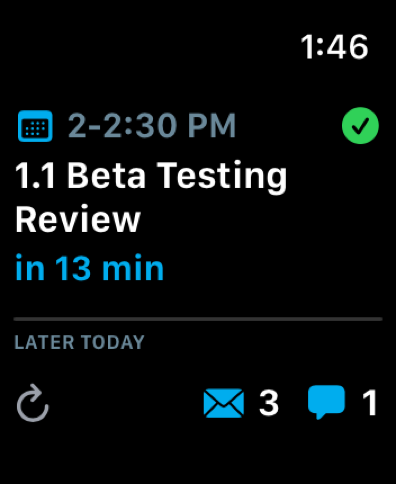
Your next meeting, today's schedule, unread email and Teams counts, and your presence on your wrist. Read email and chats, reply, flag, and mark unread right from the watch, and set your presence or out-of-office. Four complication styles for the watch face and Smart Stack.
Control Center
Set your presence or toggle out-of-office straight from Control Center, without opening the app.
Siri & Shortcuts
Ask for your next meeting, your unread counts, your current presence, or a quick overview of your work day — and have Siri read your unread email and chats aloud. Set your presence by voice.
Privacy-first by design
Blick talks only to Microsoft. No analytics SDK, no off-device logger, no telemetry, no third-party trackers. The only network destinations it touches are Microsoft Graph and Microsoft identity endpoints. Your data stays between you, your Apple devices, and Microsoft. Your Apple Watch holds no Microsoft credentials and makes no calls of its own; it receives only non-credential status from your iPhone over Apple's on-device link.
This is enforced by the absence of code, not a policy that depends on the developer behaving well. The source is open at github.com/excelano/blick so every claim is independently verifiable. The full privacy statement is at excelano.com/legal/#blick.
If your IT admin needs to approve Blick
After downloading Blick from the App Store and trying to sign in with your work Microsoft 365 account, you may see a message that says something like “Need approval from your administrator,” “Your administrator hasn’t granted access to this app,” or refers to an error code such as AADSTS65001 or AADSTS90094.
This is not a problem with Blick or with your account. It means your employer has set Microsoft 365 to require an administrator to approve any new third-party app before it can connect to company data. Blick is an independent app rather than a Microsoft product, so it has not been pre-approved across every company’s tenant. Once an administrator on your IT team approves Blick, your next sign-in will work normally and you won’t see the message again.
Approval takes most administrators under five minutes. The email below is written for you to copy, paste into a new message, and send to your IT or help desk team. It explains what Blick is, what data it reads, what data it does not read, and which specific Microsoft Graph permissions need to be granted. Your administrator can choose to approve Blick for just your account or for everyone in your company.
If your IT team has questions or wants to evaluate the app before approving, they can write to support@excelano.com directly.
Email subject
Request to approve Blick for M365 (iOS app) for my Microsoft 365 account
Email body
Hi [your IT or help desk team],

I'd like to use a third-party iOS app called Blick for M365 to view my Microsoft 365 inbox, calendar, and Teams activity on a single screen. When I try to sign in, the app reports that an administrator needs to approve it before I can access my account, and I'm writing to ask for that approval.

Blick for M365 is a status panel app that reads my Outlook inbox, calendar, and Teams chats and shows them together. It also lets me RSVP to meetings, mark email read or unread, send replies, compose new email, forward messages, start new Teams chats, and update my presence. It runs entirely on my iPhone and connects to Microsoft 365 through Microsoft Graph using Microsoft's standard MSAL authentication.

On privacy: Blick has no backend server, sends no data to its developer or any third party, and contains no analytics SDK or telemetry. The only network destinations it contacts are Microsoft Graph at graph.microsoft.com and Microsoft identity endpoints at login.microsoftonline.com. The full privacy policy is at https://excelano.com/legal/#blick.

The Microsoft Graph permissions Blick requests fall into four areas. For sign-in, it asks for User.Read (basic name and email). For mail, it asks for Mail.ReadWrite (read inbox, mark read or unread, flag) and Mail.Send (in-app replies). For calendar, it asks for Calendars.ReadWrite (meeting list and RSVP) and MailboxSettings.ReadWrite (Out of Office toggle). For Teams, it asks for Chat.ReadWrite (read and reply to chats), Chat.Create (start a new chat), and Presence.ReadWrite (view and set presence).

For your records, the app is registered in Microsoft Entra under the name "Blick" with Client ID (Application ID) 0ce3820d-db53-4b2e-9621-6c4ccc086d5a. The publisher is Excelano LLC.

To approve, you can grant consent in the Microsoft Entra admin center under Enterprise applications, either tenant-wide or scoped to just my account. Alternatively, opening the admin consent URL https://login.microsoftonline.com/organizations/adminconsent?client_id=0ce3820d-db53-4b2e-9621-6c4ccc086d5a while signed in as a Global Administrator will surface the consent dialog directly. Once approval completes, I can sign in to the app and won't see the prompt again.

If you have any questions about the app or want to evaluate it further before approving, the publisher can be reached at support@excelano.com.

Thanks for considering this,
[Your name]
Support
For questions, bug reports, or feedback, email support@excelano.com. Replies typically arrive within one business day.
Issues and feature requests can also be filed directly in the GitHub repository at github.com/excelano/blick/issues.
For technical users
Blick is open source under the MIT license. The full code, build instructions, and Microsoft Graph permission rationale live at github.com/excelano/blick.
If you would rather not depend on Excelano's published Azure App Registration, the repository's SELF-HOSTING.md walks through using your own. Blick was built so this path is real, not theoretical.
Blick is an independent app, not affiliated with or endorsed by Microsoft Corporation. Microsoft, Outlook, Teams, and Microsoft 365 are trademarks of Microsoft Corporation.