Client engagements and open source projects. I build both, and they feed each other.
Case Study
Government
Large Municipal Government Portfolio Rationalization
Built the scoring engine, financial model, and contract-to-application mapping for a 600-application portfolio spanning 47 departments. Automated the analysis and handed the team the tools to keep the program running after the engagement.
- 600+ applications inventoried and scored
- $8.78M verified savings in Tier 1 consolidations
- 28 contract cancellations ready to execute
- Tools still in use
Major US city
Case Study
Startup
Industrial B2B Marketplace Startup
Joined a seed-stage startup as Interim CTO. The product was a Joomla proof of concept; I rebuilt it from scratch as the sole developer on PHP, hired an onshore/offshore engineering team, and migrated the platform to Java as the product matured. Stayed to close the Series A, then exited.
- Product rebuilt from the ground up
- Engineering team hired and led
- Platform migration PHP to Java
- $5M Series A raised
Seed-stage startup · Interim CTO
Case Study
Professional Services
New Service Line at a Professional Services Firm
Designed and stood up a new service offering from concept to recurring revenue. Built the practice, the delivery model, the client relationships, and the team around it. Took it from zero to self-sustaining recurring revenue, and it's still in market today.
- New practice area built from scratch
- Grew to self-sustaining recurring revenue
- Team hired and led
- Offering still in market
Professional services firm
Case Study
Startup
Technology
Technology Startup Operational Turnaround
Walked into an operating loss and built the systems, processes, and tools that reversed it. That infrastructure is what made the turnaround stick.
- Operating loss reversed to profit in six months
- Operational systems built and in use
- Team aligned on a new rhythm
Series A technology startup
Case Study
Government
Finance
Overnight Market Reports for a Presidential Briefing
As a contractor at the U.S. Department of the Treasury in the late 1990s, I built the pipeline behind the daily report on overnight foreign market movement — the one the Treasury Secretary used to brief the President each morning. It captured market data live off the Reuters feed and produced the finished report end to end. Robert Rubin read it first; Lawrence Summers after him.
- Daily report on overnight foreign market movement, used by the Treasury Secretary to brief the President
- Built the full pipeline: live market-data capture from the Reuters feed through to the finished report
- Served two Treasury Secretaries — Robert Rubin, then Lawrence Summers
- Produced to a same-morning deadline, every trading day
U.S. Department of the Treasury
Microsoft 365
Case Study
Energy
Productivity
Intranet Modernization at an LNG Operator
Migrated an LNG operator's intranet to SharePoint Modern with a hub-site architecture. Delivered the base framework, branded navigation, and governance pattern in the planned 60-day window, and trained the internal team to own the platform from day one.
- 25 sites consolidated under a single hub-site architecture
- IT exited per-site administration to focus on platform health
- Corporate communications shifted from broadcast email to the intranet; executive voice followed
- Internal team has owned maintenance since launch; ongoing engagement for guidance and training
Major US LNG operator
Microsoft 365
Case Study
Energy
Human Resources
Productivity
Talent Lifecycle Management on Microsoft 365
Built three Microsoft 365 workflows — Onboarding, Offboarding, and Transfer — to replace a brittle Jotform process. Designed as a stop-gap between an outgrown Paycom and a coming UKG implementation. The stop-gap stuck. Turning scattered SharePoint list data like this into something you can query and bulk-fix is what led me to build xql.
- Microsoft Lists, Forms, and Power Automate; internal team owned the solution from day one
- ~20 hires/transfers and ~20 offboards processed per month since launch
- Scattered "people data" centralized into a working source of truth
- Adapted to consume UKG as the data source in phase two; still running today
Major US LNG operator
Microsoft 365
Case Study
Energy
Productivity
Interim Directives Tracking for Regulated LNG Operations
Built parallel SharePoint sites for pipeline and terminal operations (kept separate by regulation) to capture interim directives, track acknowledgements, and notify managers as due dates approach. Replaced a spreadsheet-and-email process that no longer scaled. Building and maintaining Power Automate flows like these by hand is what led me to write paxc, so a flow can be reviewed and versioned like the rest of the code.
- Two sites, ~4 Power Automate workflows each; initial delivery in three weeks, agile cycle since
- 2-4 directives issued per week, hundreds of acknowledgements per directive
- SharePoint-triggered workflows: response capture, due-date tracking, manager escalation
- Auditable system of record for a regulator-facing process
Major US LNG operator
Microsoft 365
Case Study
Energy
Finance
Productivity
Sales-and-Use Tax Decision Tool
Replaced an expert-only Excel tax matrix with a guided form casual users could navigate. The client assumed Microsoft Forms or Power Apps were the only options for a SharePoint-hosted tool; built it as HTML and JavaScript inside a SharePoint .aspx page so the business team could maintain the rules in a plain constants file.
- HTML and JavaScript embedded in SharePoint via classic .aspx pages
- Lookup rules and item categories live in a separate constants file that finance staff edit directly
- Covers Texas and Louisiana sales-and-use-tax rules including direct-pay exemptions
- In production daily; users describe it as a major time-saver vs. the old matrix
Major US LNG operator
Documents
Case Study
Energy
Information Management
CFIHOS Handover Plan for an LNG Export Mega-Project
Authored the DFO (Documents for Operation) Handover Master Project Plan and Information Specifications that now govern document and data transfer from EPC contractors to an LNG operator. Translated the CFIHOS industry standard into a working contract artifact through cross-functional engagement across executive, legal, commercial, finance, supply chain, operations, and SSHE groups.
- Master Overarching Project Plan and DFO Information Specifications delivered
- Aligned with CFIHOS Implementation Guide for Principals, extended for operator-specific requirements
- Multi-year EPC handover underway against this plan
- Governs document and data delivery for a $10B+ LNG export build-out
Major US LNG operator
Case Study
Energy
Human Resources
Information Management
UKG-to-Azure SQL Pipeline for Power BI Analytics
Built a Java service to pull employee data — timesheets, pay history, requisitions, demographics — from UKG (Ultipro) into the client's Azure SQL data warehouse on a nightly cadence. The Power BI team had the analytics skills and UKG had documented its REST API; the missing piece was the integration.
- Filled the gap between UKG's REST API and the client's Power BI team
- Plain Java, JDBC, hand-rolled REST client; no framework
- Briefly built a MongoDB variant on a senior manager's preference; demonstrated Azure SQL was the right target and pivoted back
- Nightly job still running in production; team has owned it since handoff
Oilfield chemicals firm
Microsoft 365
Case Study
Energy
Finance
Information Management
AFE and JIB Workflow Migration off OpenText
Rebuilt the AFE (Authorization for Expenditure) and JIB (Joint Interest Billing) workflows for a 20-person finance organization that had divested most of its E&P assets but couldn't retire its OpenText subscription while those workflows depended on it. New workflows shipped on Power Automate and SharePoint; OpenText went away. Parallel workstream implemented the records retention schedule on Microsoft Purview to govern the new SharePoint content.
- AFE (Authorization for Expenditure) and JIB (Joint Interest Billing) workflows rebuilt on Power Automate and SharePoint
- OpenText subscription retired after migration, eliminating a major recurring cost for the lean org
- Records retention schedule implemented on Microsoft Purview as a parallel workstream
- Workflows have run independently for ~5 years post-handoff (confirmed by a contact after the company was acquired)
Mid-cap E&P independent turned holding company
Microsoft 365
Open Source
Productivity
Blick
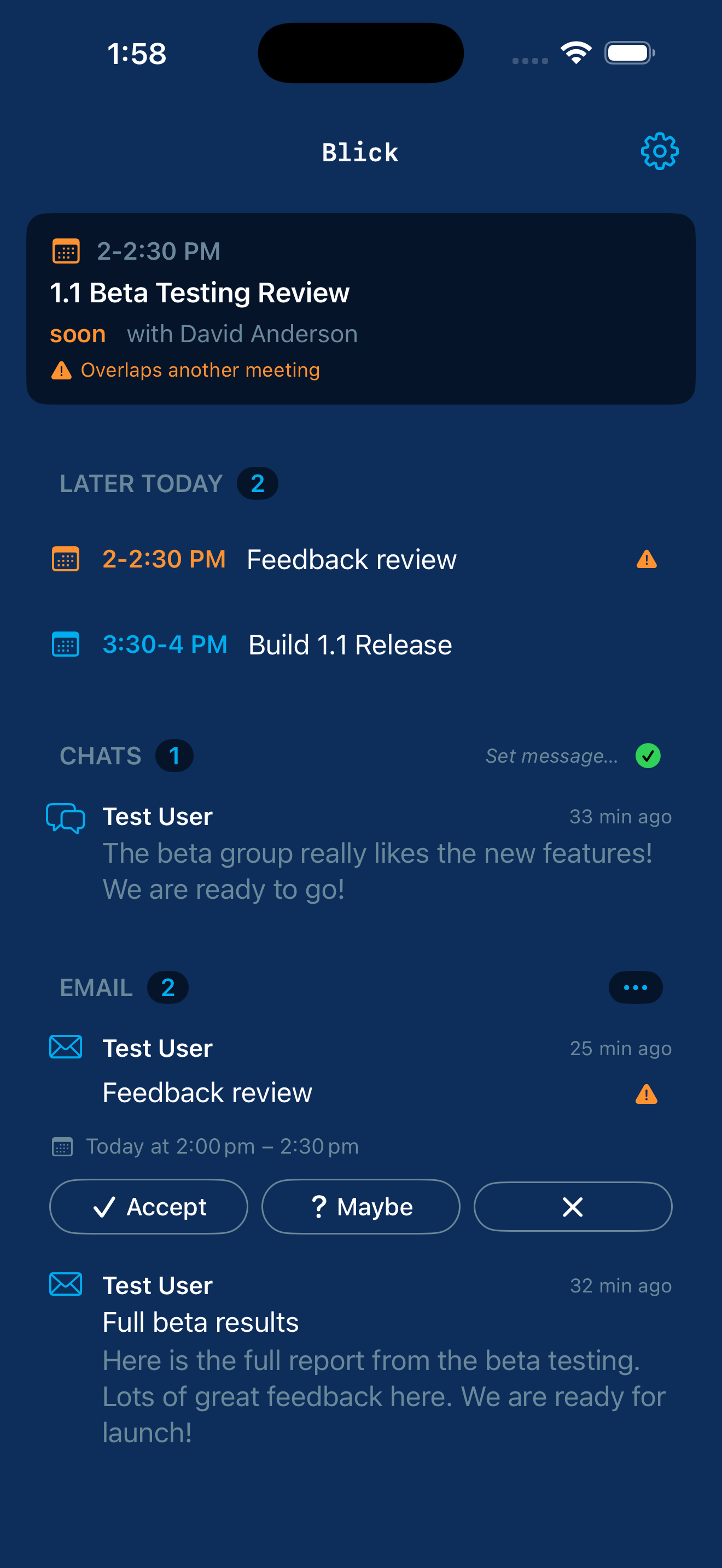
Your Microsoft 365 day on a single screen: next meeting, the rest of today's calendar, unread email, Teams chats with new activity, and your presence. RSVP from the calendar card or directly from the email row. Set your Teams presence and out-of-office without opening Teams. Free. Open source. iOS-first.
- Native iOS app in Swift and SwiftUI (iOS 17+); home-screen widget for next meeting, unread count, and pending chats
- Microsoft Graph for live calendar, email, Teams chats, and presence; bulk inbox triage tuned for Focused, Other, meeting notices, mailing lists, and external senders
- MIT-licensed; no analytics, no telemetry, no third-party trackers; talks only to Microsoft endpoints
Apps & classics
Open Source
Productivity
Zirbe
Email that feels like texting, for iPhone and iPad. Every thread becomes a conversation: the subject is the title, each reply a bubble, real email underneath. The same person writing you about five different things becomes five conversations, which is how email has always worked; Zirbe just makes it look the way you already think.
- Native iOS app in Swift and SwiftUI; every email thread rendered as a conversation of bubbles in time order
- Connects straight to your existing mailbox — no backend, no account, nothing stored in between
- MIT-licensed; no analytics, no telemetry, no third-party trackers
Microsoft 365
Tabular
Open Source
Information Management
Technology
xql
A SQL prompt for SharePoint lists and CSV files. Bind to a list through Microsoft Graph, or to a local CSV, then run SELECT, UPDATE, DELETE, and INSERT through one command-line tool. WHERE clauses translate to server-side OData, so even large lists return fast. Writes preview by default, so you see which rows would change before committing. Built for the bulk-edit problems the SharePoint UI gives up on and Power Automate can't fix without Premium.
- Pure Go single binary; multi-tenant device-code auth via MSAL, works against any tenant out of the box
- One grammar across two backends — the same SQL runs against SharePoint lists and CSV files
- Dry-run preview with row sample and explicit confirmation; interactive REPL or one-shot
--exec mode
Tabular
Open Source
Information Management
Technology
xled
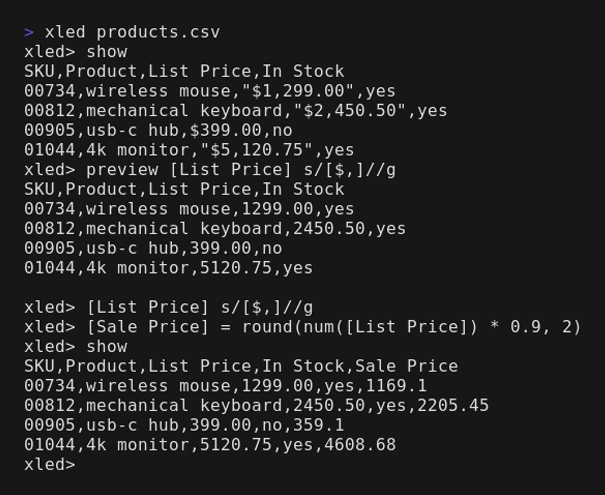
sed and awk for tabular data. Regex substitution and a small compute layer over Excel-style ranges in CSV and DSV files, with every edit previewed before it's written. Built for the fixes a spreadsheet makes tedious and a throwaway script gets wrong: strip currency characters, restore leading zeros, normalize casing, compute a derived column.
- Pure Rust single binary; addresses cells by Excel-style ranges and never coerces a value you didn't ask it to
- Regex substitution plus arithmetic, case, trim, pad, and numeric functions over columns and ranges
- Parses CSV correctly — quotes, embedded commas and newlines; every edit previewed before write
Tabular
Open Source
Information Management
Technology
xray
A read-only profiler for CSV and DSV files. One pass tells you what the file is, what each column really holds, and what will bite you when you clean or query it. The diagnostic first step before you edit or query an unfamiliar file — and it never edits a byte.
- Pure Rust; three registers — the file's shape and encoding, each column's real type and fill, and a ranked list of hazards
- Reports leading-zero and long-ID columns as text, flags currency-as-text, pre-aggregated total rows, ragged rows, and duplicate keys
- Read-only by contract; hands off to xled to fix values or xql to query rows
Tabular
Open Source
Information Management
Technology
xshape
Reshape for CSV and DSV files. Pivot, unpivot, split, merge, explode, and transpose a table without ever changing, filtering, or aggregating a value. For when the data is correct but pointed the wrong way for the next step — a wide export that has to go long before SQL can group it, or a cell holding three values that each need their own row.
- Pure Rust; moves cells between the row and column axes and never coerces, drops, or invents a value
- Requires an explicit separator rather than guessing; errors rather than aggregate when two cells would collide, and points you to xql
- Shares xled's column-addressing dialect, so the tabular family reads as one language with different verbs
Tabular
Open Source
Information Management
Technology
Comma
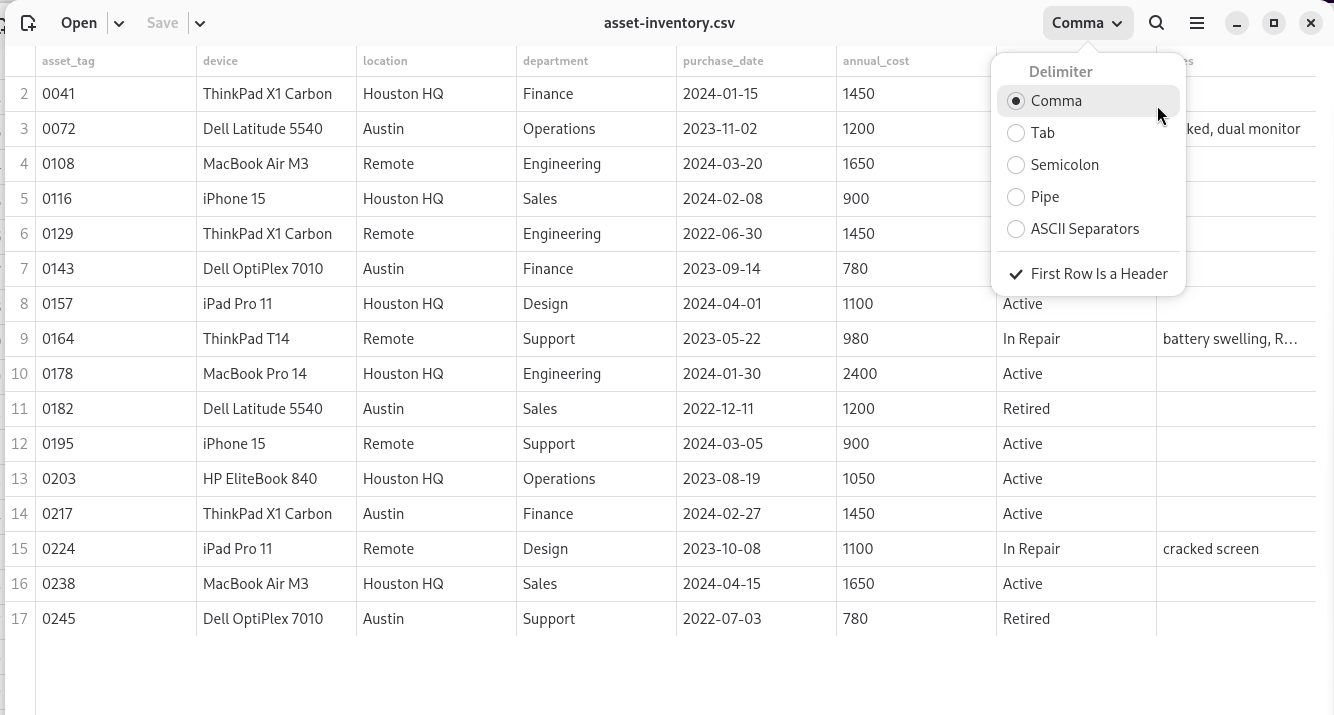
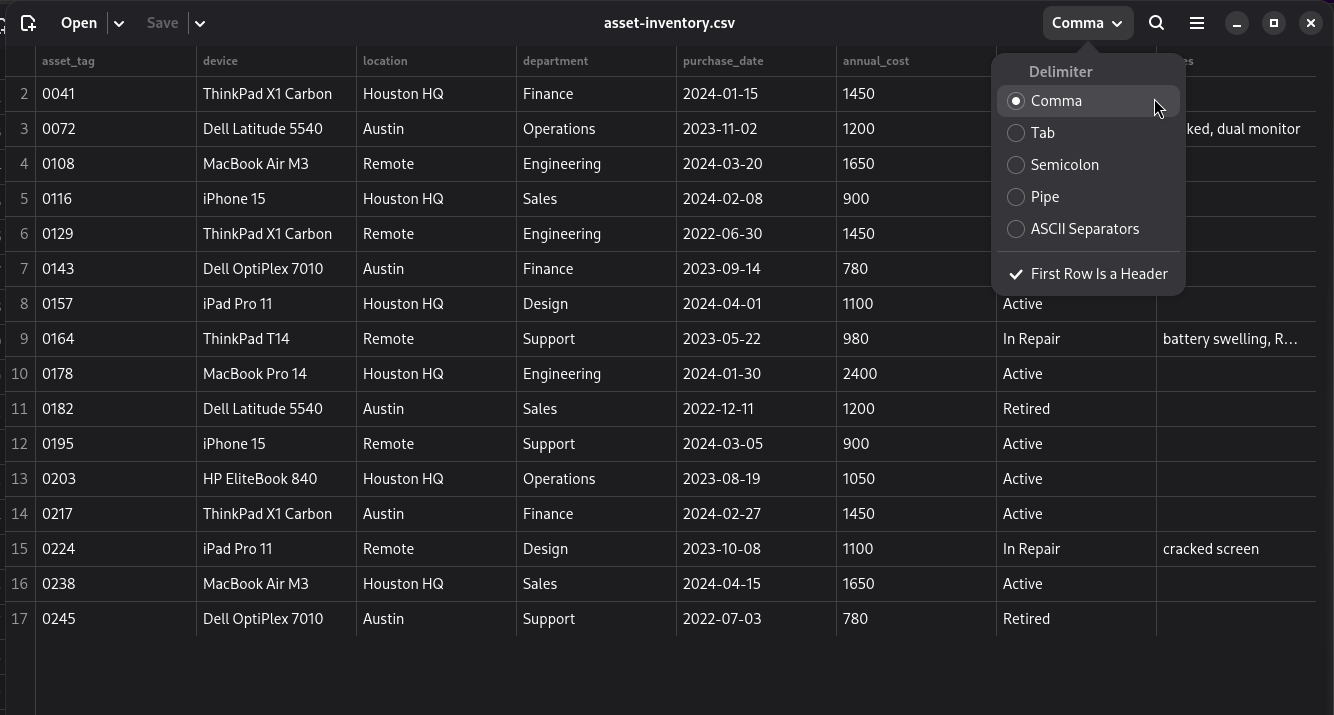
A CSV editor that works like a spreadsheet — a familiar grid you edit by hand — except it won't mangle your data. It shows a delimited file as a grid and saves it back as the same kind of file, leaving every row you didn't edit byte-for-byte intact; values stay text, so leading zeros and long identifiers survive.
- Rust on GTK 4 and libadwaita; per-column conditions, non-destructive sort, and search that never rewrites the file
- Export to PDF, web page, or OpenDocument spreadsheet, every value written as text
- The desktop sibling to the xled/xray/xshape/xql command-line family; speaks English and German
Microsoft 365
Open Source
Information Management
Technology
xfiles
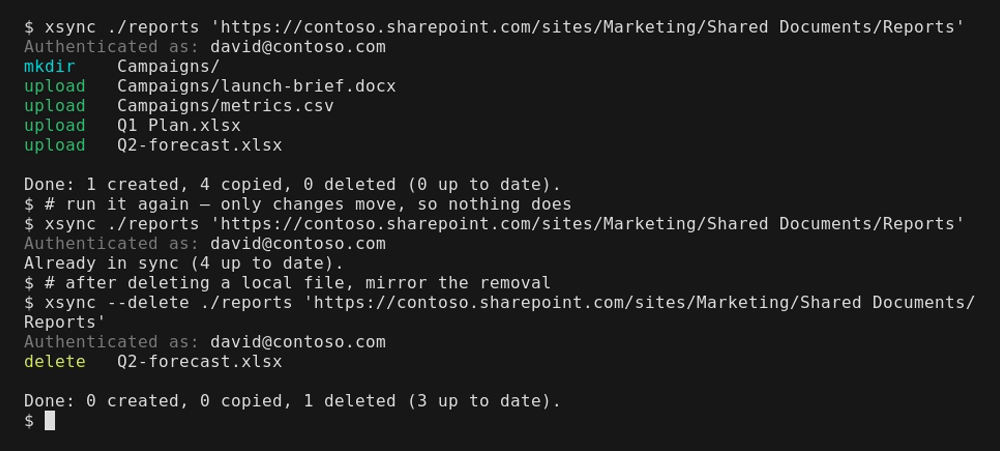
A family of command-line tools that give a SharePoint document library the feel of the Unix file utilities — ftp, scp, rsync, find, and tree, over Microsoft Graph. For the bulk file moves and audits that the SharePoint web UI makes painfully slow.
- Five tools — xftp, xcp, xsync, xfind, xtree — one per familiar Unix utility
- Single Go binaries; device-code OAuth into your own Microsoft 365, talks only to Microsoft Graph
- Mtime-aware sync, so xsync skips the Office files SharePoint rewrites on upload
Microsoft 365
Open Source
Technology
paxc
A small DSL that turns Power Automate's verbose flow JSON into readable source code. Write terse code; deploy real flows. The interpreter paxr runs the same source locally so you can iterate without round-tripping through the cloud designer.
- Rust compiler, local interpreter, and legacy-format packager
- Round-trip ingest from real PA exports validated end to end
- Covers PA's full action graph: control flow, error handlers, expressions, connectors
In Development
Productivity
Xinglet
A small web app for creating and sharing single-page HTML files. Sign in, write HTML/CSS/JS in a real code editor, preview in a sandboxed frame, share with other users or invited email addresses, and download the file when you're ready. Built for the kind of one-page experiments that don't deserve a repo.
- PHP and SQLite on shared hosting, no framework
- CodeMirror 6 editor with sandboxed preview
- Per-user accounts, share by user or email invitation
- Hosted at xinglet.com, free to use
Apps & classics
Open Source
Technology
ved
A drop-in clone of ed, the original Unix line editor, in pure-stdlib Rust. Same interface and command set; friendlier when you're learning. Scripts written for real ed run against ved unchanged.
- Pure-stdlib Rust, no external crates, no C dependencies
- Drop-in compatible with GNU ed for scripts and pipelines
- Adds clear error messages, command confirmations, and built-in help
Apps & classics
Open Source
Technology
nved
A line editor you can climb into. Print a range of lines by number, then edit it in place, your scrollback left intact. The approachable sibling to ved: the same line-editing model, but you see the lines you're working on rather than holding them in your head.
- Pure Go; print a numbered range, edit it in place, scrollback preserved
- Structural color for delimited (DSV) files; monochrome elsewhere by design, colorblind-safe
- Cross-platform — Linux, macOS, and Windows
Microsoft 365
Open Source
Information Management
Technology
Xensus
A self-hosted identity registry for Microsoft 365 tenants. It hands every person a permanent integer ID, never reused, and records where they appear across HR, Active Directory, and vendor systems, carrying the foreign ID each system knows them by. It doesn't sync, deduplicate, or replace your HR system; stewards assert and Xensus records, faithfully and audited. Useful where stricter tools fail: when the truth is messy and spread across systems that disagree.
- Pure Go, MIT-licensed; authentication runs through your own Microsoft Entra tenant over OpenID Connect
- Never calls Microsoft Graph and reads nothing beyond the sign-in token; every write captured in an immutable audit log
- First sign-in binds the deployment to its tenant; per-list CSV and full-registry zip export
Microsoft 365
Open Source
Productivity
blick (CLI)
The command-line sibling of the Blick iOS app. Run blick and it prints what's next: your next meeting and how long until it starts, unread Outlook email, and the Teams chats with new activity. Email and chats share one numbered list, so acting is a keystroke — read a message, r3 to reply, d2 to mark read, x to clear and quit. No switching between Outlook and Teams to see who's waiting on you.
- Single Go binary, no runtime dependencies; device-code OAuth into your own Microsoft 365, talks only to Microsoft Graph
- Reply and triage inline from one numbered list of mail and chats
- Same Microsoft 365 day as the Blick iOS app, a different surface
Documents
Open Source
Information Management
Segler
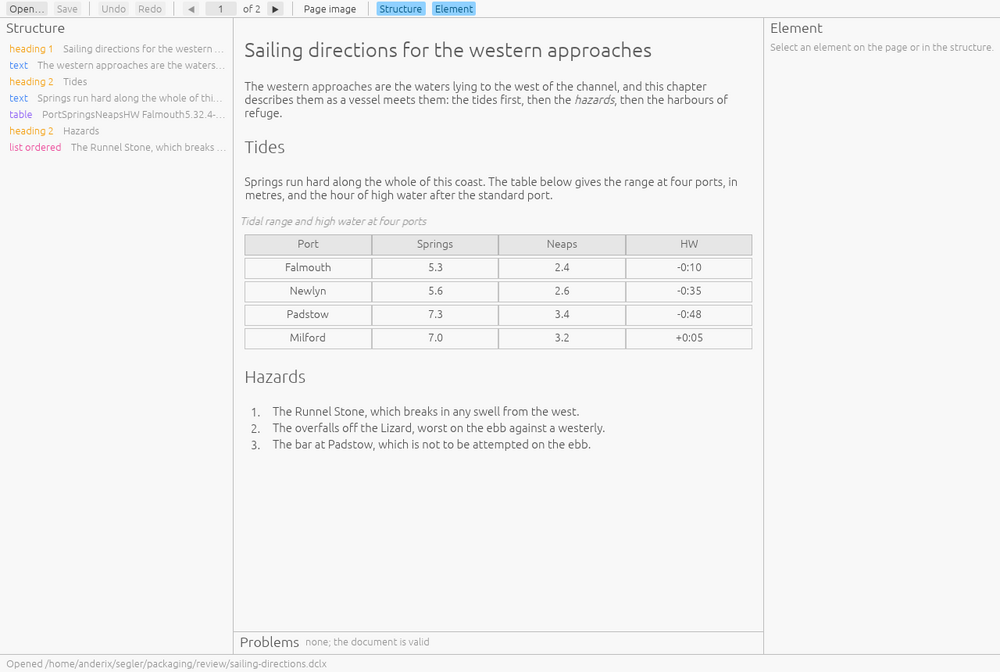
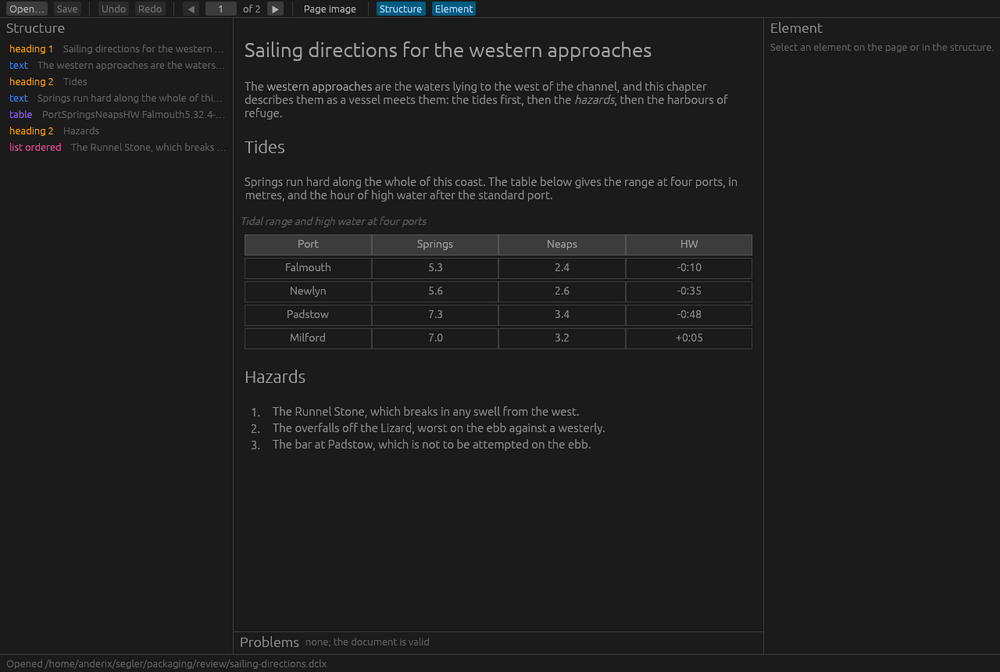
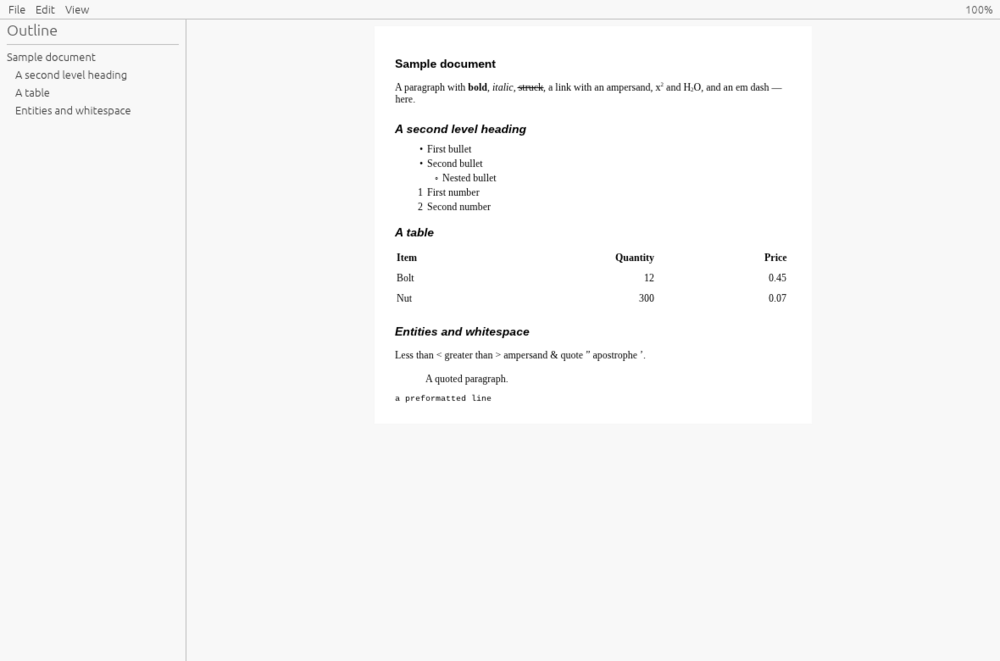
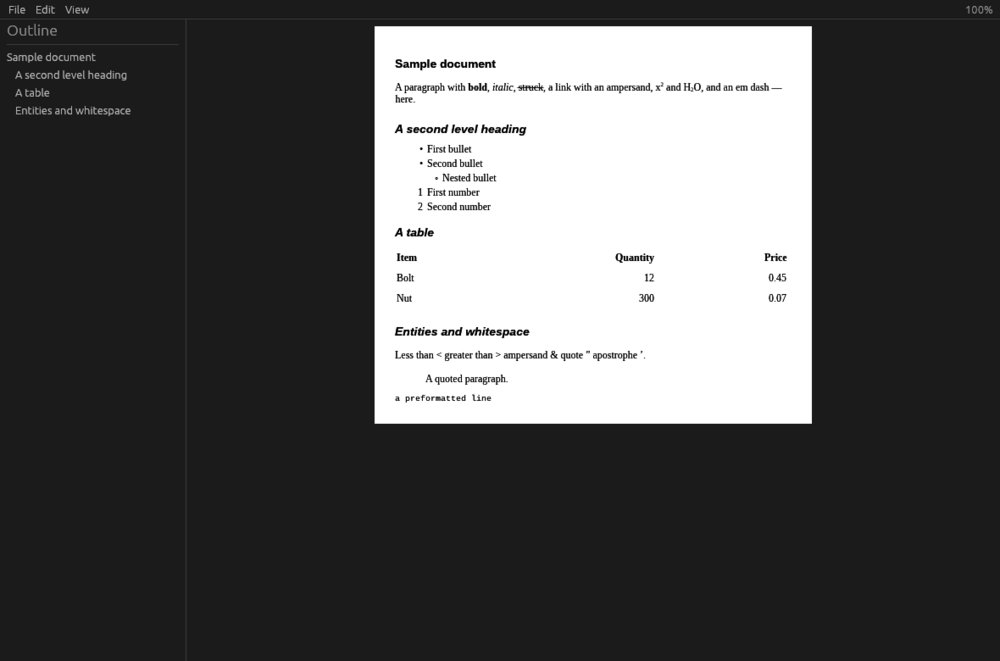
An editor for DocLang documents — the markup language models read and write. Open a document or archive, read it the way a reader would, correct what the converter misread where you read it, and save the same file with nothing else changed.
- egui desktop app in Rust; macOS, Windows and Linux
- Renders a DocLang document as a reader sees it, with a structure pane and per-element editing
- Round-trip fidelity: everything you did not touch is written back byte-for-byte
Documents
Open Source
Information Management
Duckling
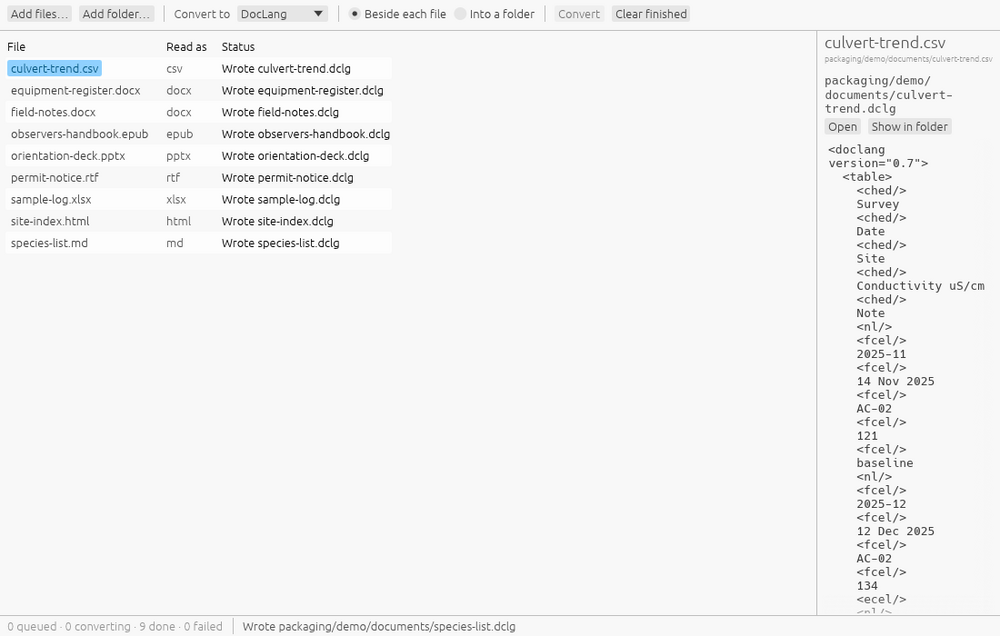
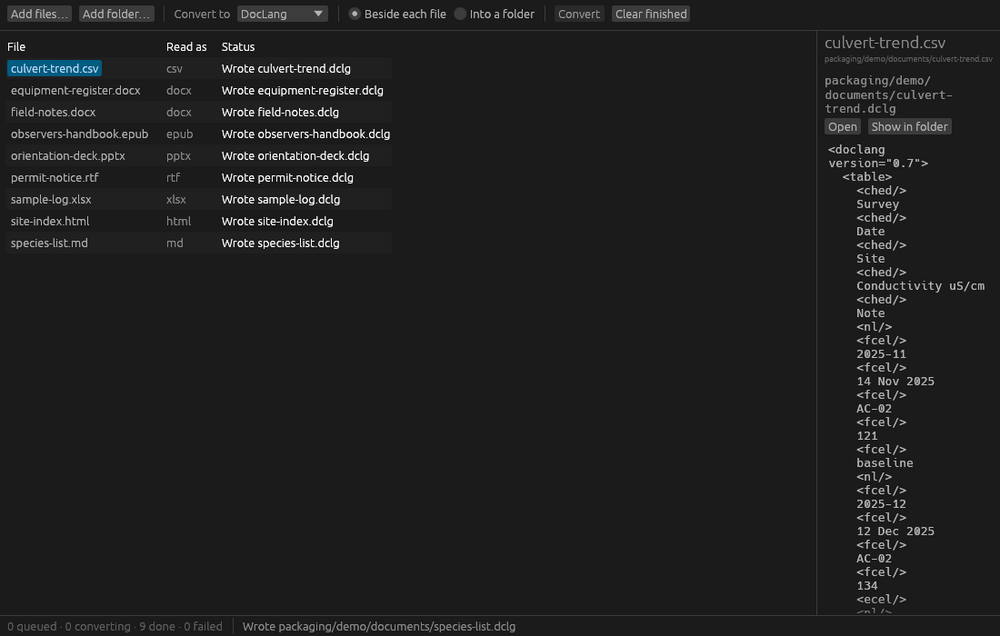
Converts Word, PowerPoint, Excel, PDF, HTML, EPUB and forty-odd other formats into DocLang, Markdown, docling JSON, ODT, DOCX or LaTeX, on your own machine. Scanned pages are read by models that ship inside the app, so it works with the network off.
- egui desktop app in Rust over docling-rs; macOS, Windows and Linux
- Drop a batch in, choose a format, press Convert; nothing leaves the machine
- Bundled OCR and layout models read scanned PDFs offline
Slipcase
Open Source
Information Management
Slipcase
One file holding a document together with the metadata that describes it, so the description travels with it. Slipcase Desktop opens a container and edits the metadata inside; its companion Slipcase Open sends a double-clicked container straight to whatever opens the content file.
- A .slpc container is a ZIP of one content file plus a TOML flyleaf
- Desktop editor plus the open-through companion; macOS, Windows and Linux
- A proposed format, with the reference implementation and spec open
Documents
Open Source
Information Management
Tommy Flyleaf
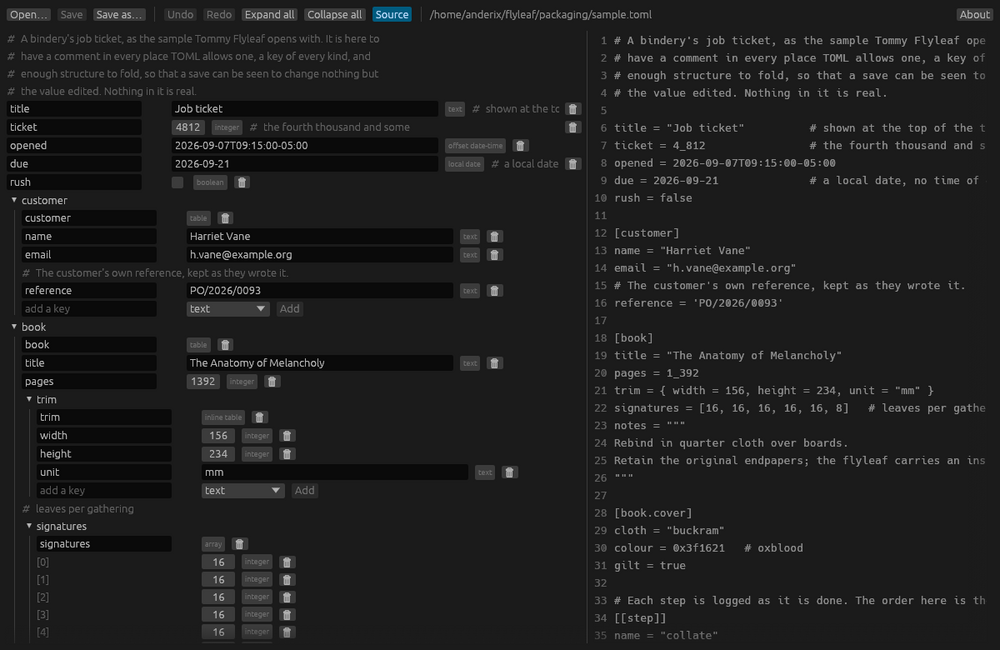
A TOML editor that shows the file as a tree and edits every value by its kind, then writes back a file with your comments, key order, whitespace and quoting untouched everywhere you did not edit.
- egui desktop app and a browser build in Rust; Linux, Windows and the browser
- Structure-aware editing over toml_edit; comments and layout preserved
- No network, no account, no telemetry
Documents
Open Source
Information Management
Odox
Three lightweight editors for OpenDocument files — Odox Text for documents, Odox Grid for spreadsheets, Odox Deck for presentations. Each opens a file, lets you change what is there, and saves it back as the document it was.
- Three egui desktop apps in Rust; macOS, Windows and Linux
- Round-trips ODT, ODS and ODP; edits what is there without reflowing the rest
- No network, no account, no telemetry
Slipcase
Open Source
Information Management
Filebase
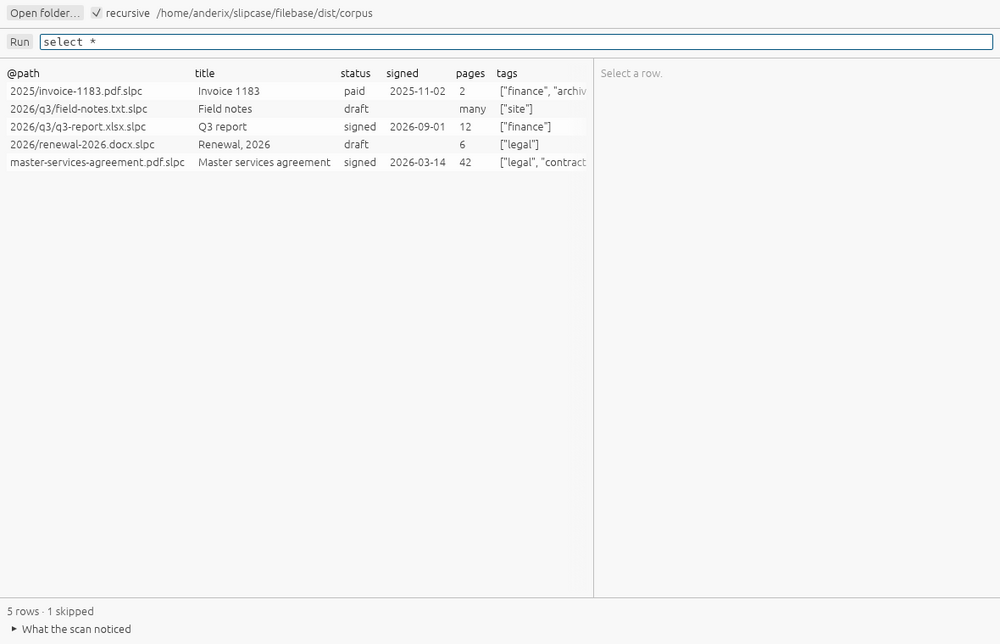
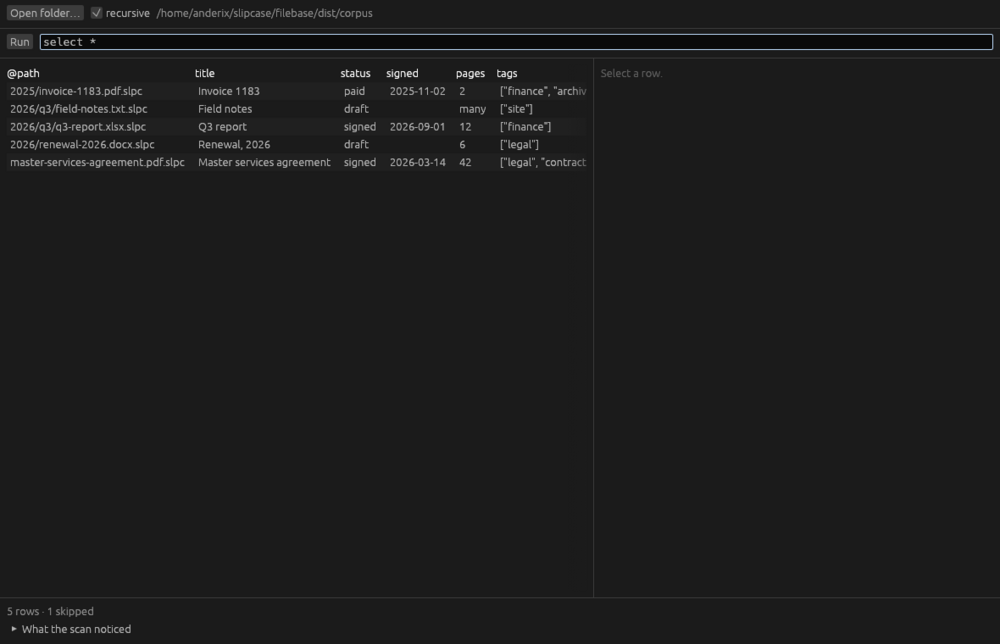
A desktop app for a folder of Slipcase containers: point it at the folder, ask which of the documents say what you are looking for, and read the answer as rows. It never writes a container.
- egui desktop app in Rust; macOS, Windows and Linux
- Queries container metadata across a folder and shows matches as a table
- Read-only by contract; no network, no account, no telemetry
Slipcase
Open Source
Information Management
SlipQL
A query language for a folder of Slipcase containers: SELECT, FROM and WHERE over the flyleaf each one carries, so a directory of described files answers “which files say this” from the command line.
- Rust CLI and library; the query engine behind Filebase
- Reads every flyleaf in place, keeps no index, changes nothing
- CSV output feeds the tabular tools; MIT-licensed
Documents
Open Source
Information Management
Umwandler
Converts Office files to OpenDocument the moment you open them — double-click a .docx, .xlsx or .pptx and it opens as an editable ODF document, for anyone standardising on OpenDocument.
- Windows desktop file handler; opens .docx, .xlsx and .pptx as .odt, .ods and .odp
- For organisations moving to OpenDocument as their house format
- No network, no account, no telemetry